Your team edits it.Your code reads it.
Terminal’s CMS holds the posts, projects, products and people a site is made of. Editors work on it beside the design, pages bind to it, nothing goes live until it is published, and any front end you build reads the same content through a typed Content API.
- 16 field kinds
- Staged publishing
- Translated fields
- Typed Content API
Model it once. Sixteen kinds of field.
A collection is a list of items with the same fields: a blog, a portfolio, a team, a menu, a set of locations. Start from a preset or a blank one and give it the fields the content needs, each with the rules it should keep.
- Text A line: names, titles, labels
- Multi-line text Paragraphs that keep their breaks
- Rich text Headings, lists, quotes, links, images
- Image With alt text, from the site’s assets
- Gallery An ordered set of images, each with alt
- Link A web address, a page, an anchor or mail
- File URL A document visitors download
- Number Prices, counts, ratings
- Date A day, written in the site’s language
- Date & time An instant, in the site’s time zone
- Toggle Yes or no: featured, archived
- Option One choice from a list you set
- Multi-option Several choices: tags, services
- Reference Points at an item in another collection
- Multi-reference Several items, in the order you choose
- Colour A hex colour, shown as its swatch
Every field can carry
- Required
- An item may be saved without it, and is held back at publish until it has one.
- Unique
- No two items share a value; a repeat is held back at publish.
- Default
- What a new item starts with.
- Help
- A line of guidance under the field, for whoever edits it next.
- Translated
- A value per content language, edited side by side.
Design with real content. Bound, not pasted.
Draw one card, bind its parts to a collection’s fields and make it repeat: the list takes the shape you drew, sorted, filtered, limited or paged, and an item page gives every item an address of its own.
Collections 1 collection
Showing 3 of 3 matching · 3 items in Projects. Drafts are never shown.
One picker binds anything
Text, images and their sources, links, alt text, backgrounds, attributes, colours, classes and whether an element shows at all, from the item’s own fields or a referenced item’s.
A page for every item
A collection’s template page publishes one page per item at its own address, and fills its search description, share title and share image from the item’s fields.
Empty is a state you design
An empty field shows nothing by default. Keep the design’s placeholder or hide the element instead, add a class when a field is set, and format dates and numbers where they land.
Publish when it’s ready. Not when you save.
Every item says where it stands. Edits to a live item wait for a publish, so a page can change in the CMS all afternoon while visitors, and every production key, keep reading what was live.
- Publish the site and every new and changed item goes with it.
- Publish item puts one live for the Content API at once; the site’s pages follow at its next publish.
- Discard changes puts a changed item back to its published values.
- Unpublish takes a live item off the Content API at once and marks it Draft.
- An item that breaks a required or unique field is held back, with the reason.
One item. Every language it speaks.
Add up to ten content languages and mark the fields that change between them. Each translated field holds a value per language, edited one language at a time, and anything untranslated falls back to the site’s own. The Content API serves every language you add.
Headless when you want it. The Content API.
The same collections, read from any front end you build: a site in your own framework, an app, a build step. Typed JSON a page at a time, with a key that lives on your server and never in a browser.
Published items only, as last published. Cached for 30 seconds. Every item as it is edited, each with its status. Never cached.
GET/terminal/api/content/v1/collections/projects?sort=opened&order=desc&limit=3
Authorization: Bearer cml_live_••••••••a41ccml_test_••••••••7e02
X-Content-Environment: productiondevelopment
Cache-Control: private, max-age=30no-store
ETag: W/"9f2c4e1a7b3d5e8f0a6c2b14"W/"3a7d0e5c9b1f4a2e8c6d0b57"
The routes
https://www.stacklumen.com/terminal/api/content/v1
- GET
/The site, its languages and time zone, and its collections - GET
/collections/:collectionA page of items: sort, order, filter, locale, expand - GET
/collections/:collection/items/:itemOne item, by its address or id - GET
/typesA generated TypeScript module: a type per collection and a client
Two kinds of key
-
cml_live_…Production key Published items only, as they were last published. What the live site should read. -
cml_test_…Development key Every item as it is being edited, drafts too, each labelled with its status. For previews.
A key reads one site, or every site in the workspace, each request naming its site under /sites/:site. It only ever reads, and one made in the dashboard lasts until you revoke it unless you give it an expiry.
- PublishAn item goes live in Terminal
- Webhook
collection.item.published, signed - BuildYour front end reads the Content API
- LiveThe new content is on your site
This site reads it too. Our blog runs on it.
Every post on stacklumen.com/blog lives in a collection in Terminal’s CMS and is read through the Content API with a production key, the way your own code would. These are the latest, read for this page.
Agents work it too. Over MCP, with your permission.
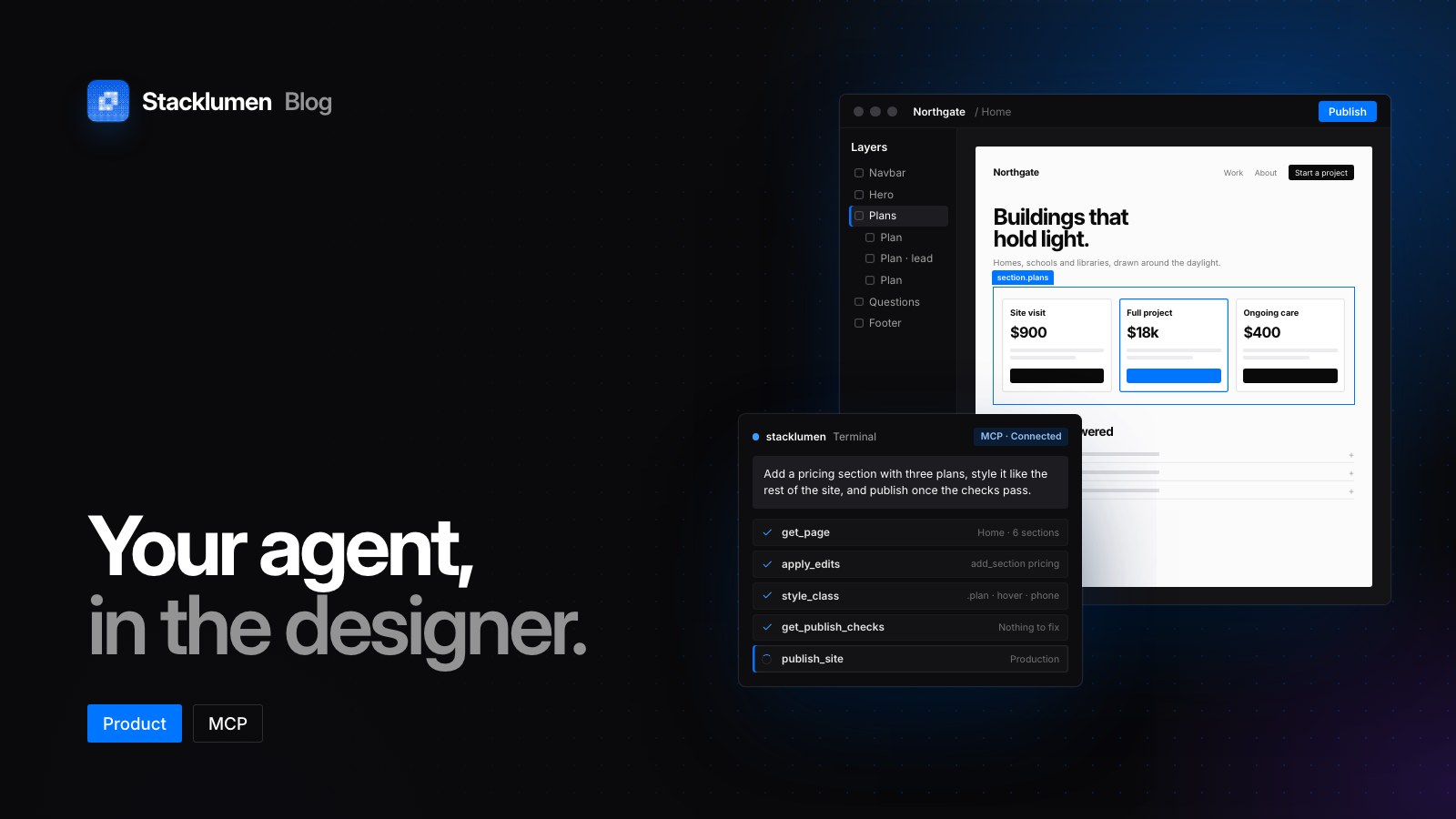
An agent connected to Terminal can build a collection, fill and publish it, and wire a codebase to it as a headless CMS: the key, the types and the webhook. It signs in as you, does only what you allow, and the key and webhook tools need a permission of their own.
-
create_collectionA collection and its fields, with seed items and an item page if you like -
add_itemsUp to 500 items in one call, matched by address when you upsert -
publish_itemsPut items live, holding back any that break a field’s rules -
get_content_apiThe endpoints, the schema and the generated TypeScript for a codebase -
create_content_keyA production or development key, shown once -
create_webhookA signed webhook, so a front end rebuilds when content changes
Bring your content with you. From a file or a repository.
A CSV file
Fill a collection from a spreadsheet. The preview says what every row will do, counts empty required fields and repeated unique values, and reads lists, dates and times and translations. Publish what you import in the same step, or review it first.
A repository
Import an Astro project from GitHub and its content collections become CMS collections, every item at the address it was published at, with each dynamic route as the collection’s item page, bound to the item’s fields.
The details. For whoever wires it up.
- Field kinds
- 16, from text to multi-reference and gallery
- Size
- 2 collections and 100 items on any site; 20 and 10,000 with the CMS site plan
- Item pages
- Up to 1,000 per collection, each at its own address
- Field settings
- Required, unique, default, help, translated
- Item states
- Draft, New, Published, Changed
- Content languages
- Translated fields, served with ?locale=
- Page size
- Up to 100 items a request, with a next link
- References
- ?expand= up to 10 fields, one level deep
- Rich text
- Markdown and HTML, or parsed blocks with ?richtext=blocks
- Caching
- ETag on every answer; send If-None-Match for an empty 304
- Rate
- 600 requests a minute per key
- Keys
- Production or development, for one site or every site; never expiring, or 1 year, 90 or 30 days
- Webhooks
- Signed with HMAC-SHA256, retried for up to 72 hours
- Browsers
- No CORS: keys stay on servers and in builds
Questions, answered.
Do I need a developer to use the CMS?
No. Collections, items, publishing and binding content to a design all happen in Terminal’s designer and CMS editor. The Content API is there for teams that also want to read the same content from code of their own.
Can one collection fill pages in Terminal and a front end we host ourselves?
Yes. A collection is one set of items: lists and item pages built in Terminal read it when the site publishes, and a front end elsewhere reads the same items through the Content API with a key.
Does publishing an edit need a deploy?
Not for a site published from Terminal: publishing the site publishes its new and changed items with it. A front end you host reads items through the API the moment they are published, one at a time if you like, and a webhook tells its build when something changes.
What does a visitor see while an item is being edited?
The published copy. Edits to a live item wait for a publish, so the item is marked Changed and the site, and every production key, keep the version that was live until you publish or discard the changes.
Where do keys come from, and who can make them?
From a site’s Content → Content API page in Terminal, or Agents & API. Owners and admins make, rotate and revoke them, and every owner and admin is told when one is made. A key is shown once and stored hashed, and it can only read.
Can I move content in from somewhere else?
Yes. A CSV file fills a collection after a preview that counts every row, and a repository import turns an Astro project’s content collections into CMS collections with their item pages.