A new look for the Hub and Terminal
The Hub and Terminal have a new look, brought in from stacklumen.com: a two-level sidebar, a live Overview, and every dashboard, list and settings page redrawn to one set of rules.
 The Stacklumen team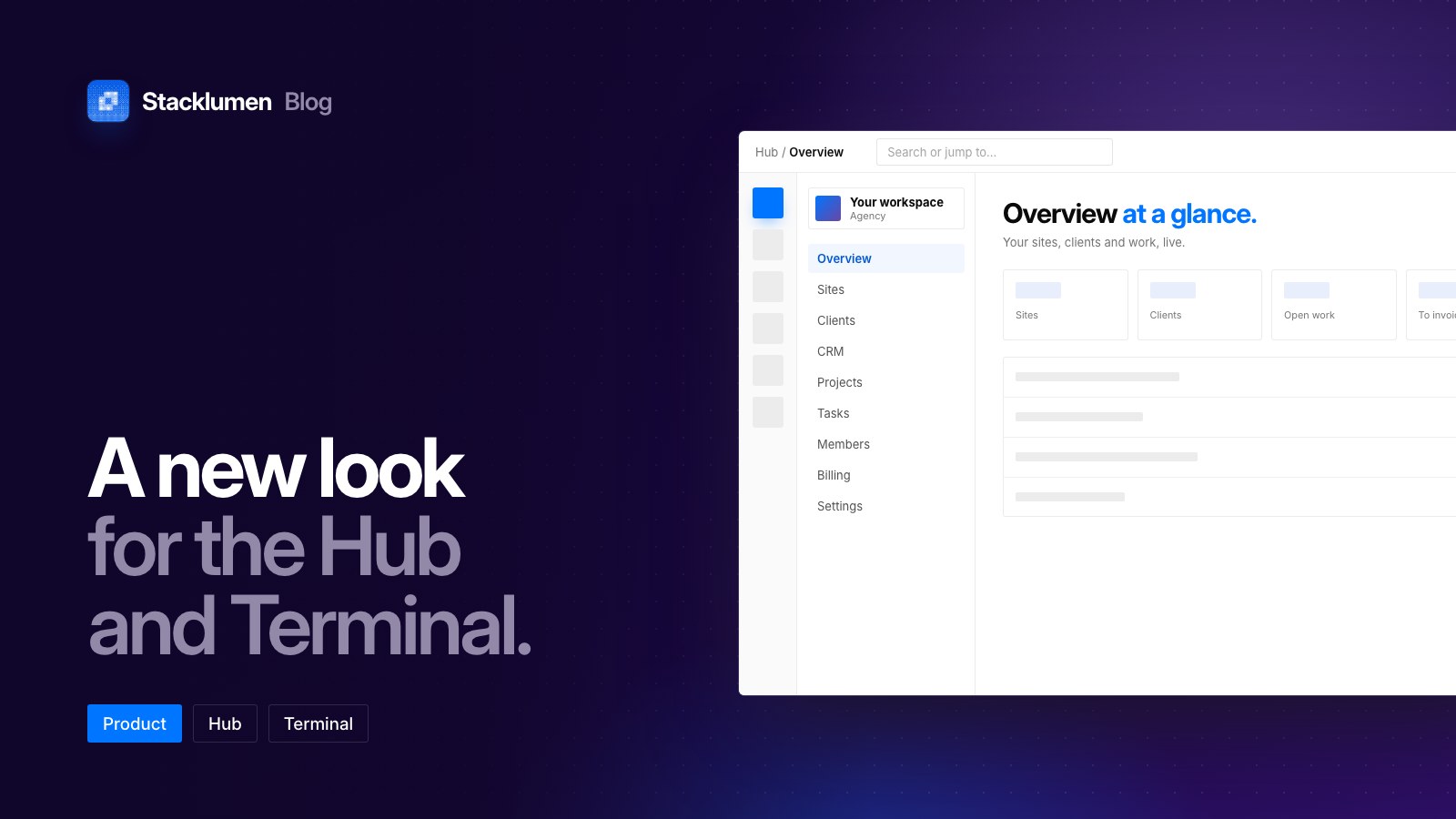
On this page
The Hub and Terminal have a new look, brought in from stacklumen.com, and it is on for everyone today. Every dashboard, list and settings page is redrawn, and the sidebar is new. The designer keeps its own look.
A sidebar in two levels
The sidebar now has two parts:
- A strip of areas. One press takes you to an area.
- A panel beside it. It lists that area's pages, with your workspace at its head, so you always know which workspace you are working in.
An Overview that is live
The Overview in the Hub and in Terminal opens on a live summary of your sites, clients and work.
One set of controls
Sites, Clients, CRM, Projects, Tasks, Members, Billing and Settings now share one set of page heads, tables, cards and controls, so a screen you have not opened before already works the way you expect:
- Folders on the Sites list are full-size cards beside your sites.
- New site opens a step-by-step wizard in the dashboard.
- Saving a setting shows a small Saved note that stays out of the way.
- Every theme, light and dark, is checked for readable contrast.
What's new, as it ships
When something new ships, What's new appears in the corner and lists recent updates for the app you are in.
Also today: headless sites show CMS
A site you use as a headless CMS now carries a blue CMS badge rather than reading as a draft because its own pages were never published. Headless sites count as live in the Overview, the Sites list and its filters, the Hub and a client's profile. A site's own pages never need publishing for its CMS to work through the Content API.
Where to find it
- Sign in to the Hub or Terminal and the new look is there.
- The changelog has both entries: the new look and headless sites.