Google answers common questions on its back button hijacking policy
Google has added an FAQ to its spam policy on back button hijacking, covering ad platform code, Discover, visitors from other channels and app links. Here is what it says and how to check your site.

On this page
On 23 November, Google added a set of frequently asked questions to its spam policies, under the section on back button hijacking. The policy itself is not new. Google announced it on 13 April 2026 and started enforcing it on 15 June 2026. The new answers clear up who it applies to, and what happens with code from advertising platforms.
What back button hijacking is
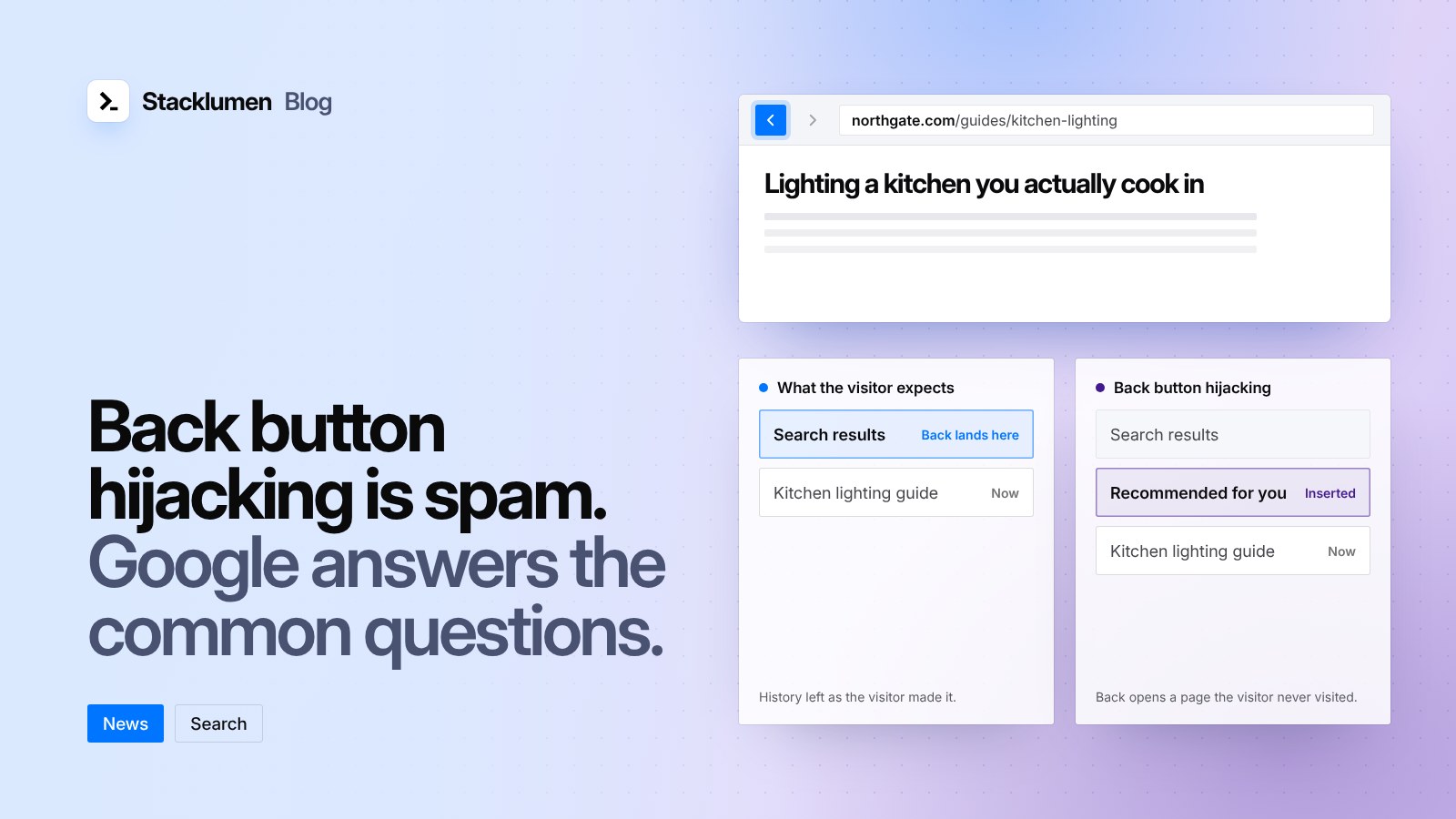
Google's spam policies define it as a site interfering with browser navigation, by manipulating browser history or other functions, so that people cannot quickly go back to the page they came from.
In its April announcement, Google described what this looks like for a visitor. They press Back and land on a page they never visited, see recommendations or ads they did not ask for, or are otherwise stopped from browsing normally. Google said that inserting deceptive or manipulative pages into browser history has long been against its Search Essentials. The April change made it an explicit violation of the "malicious practices" part of the spam policies.
What happens to sites that do it
Pages that engage in back button hijacking may get manual spam actions or automated demotions, which can lower how they perform in Google Search. If a manual action was applied and the problem is fixed, the site owner can send a reconsideration request in Search Console.
What the new FAQ answers
The FAQ covers five questions:
- Advertising code. Google notes that some back button hijacking has come from third-party advertising platforms. It says it is not stopping sites from importing code hosted by ad platforms. Site owners can keep working with them. Google acts only on pages that show the behaviour.
- Reports from users. People can report sites that do this through Google's spam report form.
- Google Discover. The policy applies to Discover, because Discover is part of Google Search.
- Visitors from other channels. If someone arrives from somewhere other than Search, such as social media, and is blocked from going back, the policy still applies, as long as it happens while they are browsing in a browser.
- Opening an app. When a website opens an external app and the person cannot get back to where they were, that is outside the policy. App navigation and "open in app" behaviour are not covered.
Where the problem usually comes from
Google's April post said that some back button hijacking comes from a site's included libraries or its advertising platform, not only from code the site owner wrote. It asked owners to review their technical setup and remove or disable any code, imports or configuration that cause it. The new FAQ makes the same point from the other side: using ad code is fine, but the page is judged on what it does.
What it means for your site
- Test the Back button yourself. Open a page from a search result, then press Back. You should land on the results page in one press. Do this on desktop and on a phone, with ads and consent banners loaded as a visitor sees them.
- Check every third-party script. Ad networks, recommendation widgets, pop-up tools and exit-intent plugins are good places to start. If one adds history entries you did not ask for, turn it off or replace it.
- Be careful with your own history code. Single-page apps and filtered listings often change the URL as people browse. Make sure each history entry is a real step the visitor took, not one that exists only to catch them on the way out.
- Watch Search Console. If a manual action appears, fix the cause first, then send a reconsideration request.
- Agencies: add it to your launch checklist. A client may add an ad or marketing script after launch. A quick Back button check during regular site reviews catches it early.