Gemini in Chrome now runs agent skills
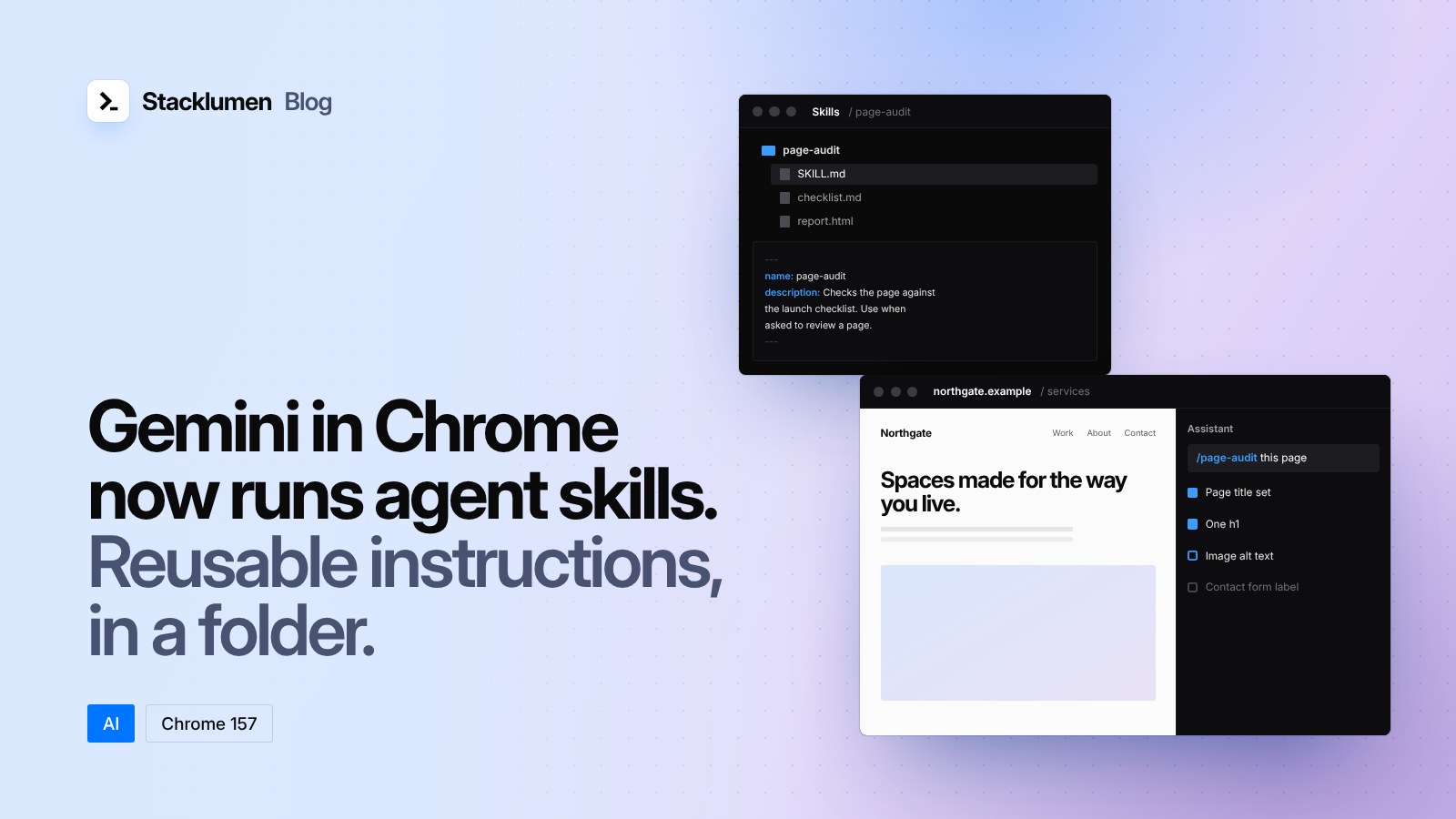
From Chrome 157, Gemini in Chrome can use skills: reusable instruction folders in the open SKILL.md format that you can write, import and call on any page.

On this page
Google has added skills to Gemini in Chrome, the assistant built into the Chrome browser. A skill is a reusable set of instructions for a task you repeat. Google announced the change on its Chrome for Developers blog on 17 November 2026. Skills start rolling out gradually in Chrome 157, so some people will not see them yet.
What a skill is
A skill is a folder. It must contain a file called SKILL.md, which holds the skill's metadata and its instructions. It can also hold reference files, templates and subfolders.
Chrome uses the open SKILL.md format published at agentskills.io. That means a skill written for another tool that supports the format can be imported into Chrome, and a skill made in Chrome can be downloaded and used elsewhere.
Google's own example is a release notes writer. Its folder holds the SKILL.md file, a release notes template and a style guide as a PDF. The instructions tell Gemini to leave out internal-only changes and to rewrite issue titles for the reader rather than copy them.
How Gemini uses a skill
Gemini can apply a skill on its own when a request matches the skill's description. It uses at most one skill per request. You can also call a skill by hand, by typing "/" or using the + menu in the Gemini side panel.
Google's help page on writing skills says Gemini reads only a skill's name and description at first, and loads the full instructions and any attached files only when it needs them. So the description does most of the work. Google suggests one or two sentences that say what the skill does and when to use it, with "Use when…" examples.
The limits
The blog post and help page set out these rules:
- The name can be up to 64 characters. Google suggests starting it with a verb, in lowercase, with words joined by hyphens.
- The description can be up to 1,024 characters.
- Other fields in the specification, such as
license, are removed when a skill is imported. - You can have up to 100 active skills.
- A skill can include HTML, Markdown, structured text templates, PDF, CSV and TXT files.
- Executable files, such as
.jsor.pyscripts, are not accepted. A skill that contains one cannot be uploaded. - Every skill is scanned for safety when it is saved or imported.
Making and managing skills
Skills live at chrome://skills. From there you can create, edit, import and download them. To import, choose Create, then Upload file, and pick a SKILL.md file, a skill folder or a zip.
You can also ask Gemini to make one. Describe a task you repeat, and Gemini creates and saves a skill for it, which you can review and edit later. Skills saved before this update were given descriptions written by AI, which you can change.
What skills can see
A skill works on the current page and on any tabs you share with Gemini. Google advises writing instructions that refer to content "on the page" rather than pointing Gemini at other sources.
The announcement does not describe any controls for website owners. It mentions no markup, opt-in or opt-out that lets a site change how skills behave on its pages.
What it means for your site
- Repeat checks can become a skill. An agency that reviews pages before launch could write its checklist into a skill and run it on each page in the browser. Because skills work on the open page, the instructions should describe what to look for on that page.
- Keep shared skills portable. If your team already keeps instructions in the
SKILL.mdformat for other tools, the same folders can be imported into Chrome, as long as they contain no scripts. - Write the description first. Gemini decides whether to use a skill from its name and description, so state the task and when to use it plainly.
- Check the output. A skill follows written instructions, and it is still worth reviewing what it produces before you send it to a client or publish it.
- Nothing to change on your site. The announcement lists no site-level settings, so there is no markup to add today.