How to set up a webhook in Stacklumen, and check every delivery is real
Add a webhook endpoint in the developer center, see what each delivery carries, and check its signature before your systems act on it.

On this page
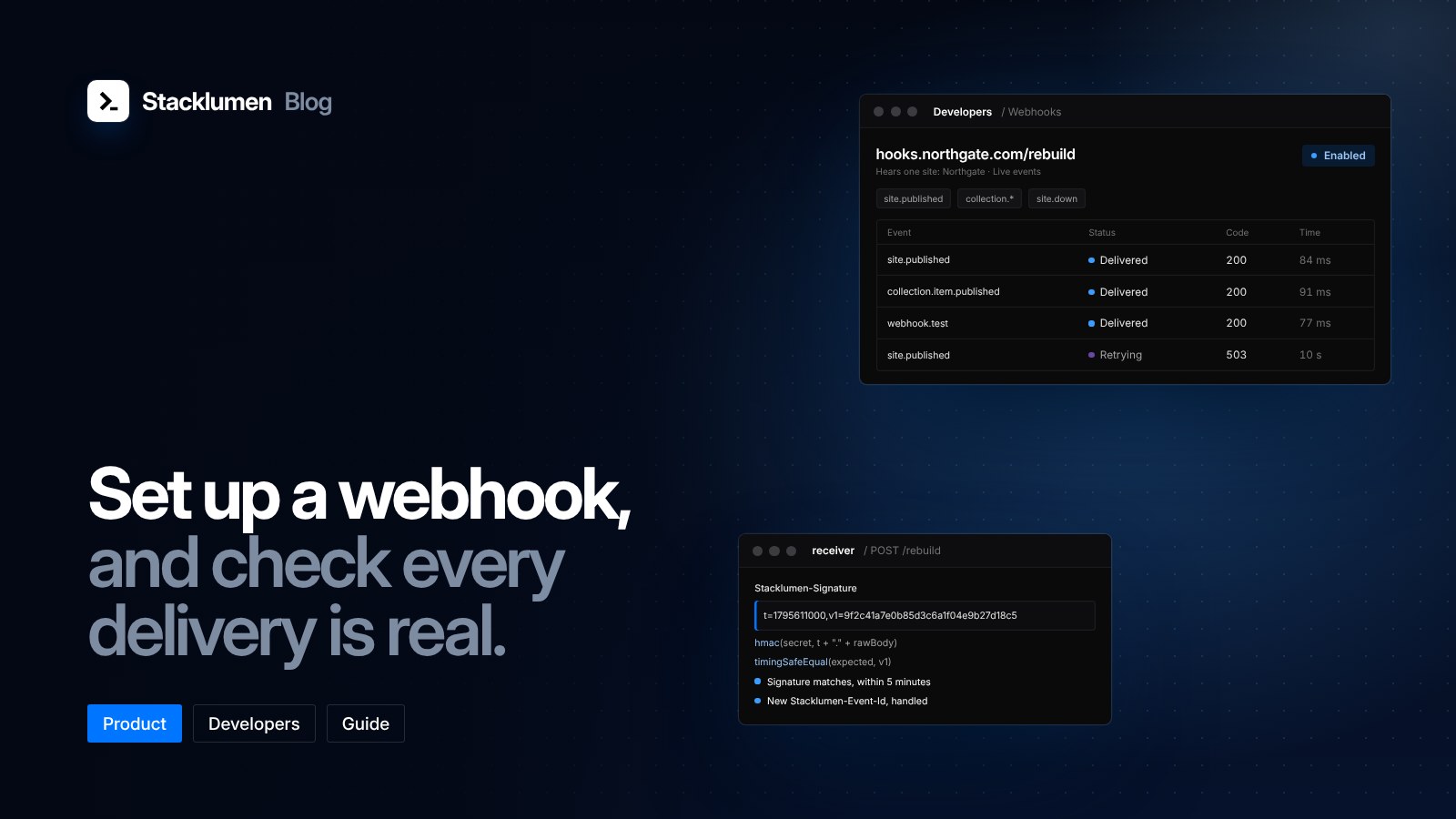
A webhook lets Stacklumen tell your own systems when something happens: a site is published, a CMS item goes live, a site goes down. Each delivery is a signed request to an address you choose. This guide covers how to add an endpoint, what each delivery carries, and how to check that a delivery really came from Stacklumen before you act on it.
Before you start
Webhooks live in the developer center, a sheet you raise from the bottom of any dashboard screen. Workspace owners and admins see its Developers tab; members, viewers and company guests do not. Click Developers, or press ⌘J (Ctrl+J on Windows and Linux), to open it.
You also need a receiver: a page or function on your own server that accepts a POST over https.
Add an endpoint
- In the developer center, choose Webhooks, then Add endpoint.
- Enter the Endpoint URL and, if you like, a Description of up to 200 characters.
- Choose what it Hears: every site in the workspace, or only one site. A one-site endpoint suits a build hook that rebuilds a single site.
- Choose Every event, which includes events added later, or Only the events I choose. You can name exact types such as
site.published, a prefix such ascollection.*, or everything with*. - Choose live events or test events only. This cannot be changed later.
- Press Add endpoint and copy the Signing secret (it starts
slsig_). It is shown once. Afterwards only its last characters show.
The address must use https://, on port 443 or a port above 1023, with no user name or password in it. Addresses that are not on the public internet are refused. A workspace can have 10 endpoints in each product.
What a delivery looks like
Deliveries leave within about a minute of the event. Each is a POST with a JSON body. Four headers matter:
- Stacklumen-Signature:
t=<unix seconds>,v1=<signature>. - Stacklumen-Event: the event type, such as
site.published. - Stacklumen-Event-Id: the event's id (
evt_…). It stays the same on every attempt and redelivery. - Stacklumen-Delivery-Id: this delivery's id (
wd_…).
Answer with any 2xx status within 10 seconds. Redirects are not followed, so a 3xx counts as a failure.
Check the signature
The signature is an HMAC-SHA256, in lowercase hex, of the timestamp t, a full stop and the raw request body, keyed with the whole signing secret, slsig_ included. To check it:
- Read the body exactly as it arrived, before any JSON parsing. A body that has been parsed and written out again will not match.
- Split
Stacklumen-Signatureon commas intotandv1. - Compute the HMAC-SHA256 of
t, a full stop and the body with your secret, as hex. - Compare it with
v1in constant time. - Refuse the delivery when
tis more than 5 minutes from your own clock. Then de-duplicate onStacklumen-Event-Id.
The docs give this function for Node:
```js
import {createHmac, timingSafeEqual} from "node:crypto";
const TOLERANCE_SECONDS = 300;
export function verifyStacklumenSignature(rawBody, header, secret, now = Math.floor(Date.now() / 1000)) {
if (!header) return false;
const parts = Object.fromEntries(
header.split(",").map((part) => {
const i = part.indexOf("=");
return i > 0 ? [part.slice(0, i).trim(), part.slice(i + 1).trim()] : [part.trim(), ""];
}),
);
const t = Number(parts.t);
if (!Number.isInteger(t) || !parts.v1) return false;
if (Math.abs(now - t) > TOLERANCE_SECONDS) return false;
const expected = Buffer.from(createHmac("sha256", secret).update(${t}.${rawBody}).digest("hex"));
const given = Buffer.from(parts.v1);
return expected.length === given.length && timingSafeEqual(expected, given);
}
```
In your receiver, answer first and do the work after. The docs' example sends its 200 before handling the event, because a reply after 10 seconds counts as a failure.
Keep the secret on your server, never in a browser or a public repository. If it leaks, give the endpoint a New signing secret. The old secret stops working at once, so update your receiver straight away.
Test it, and catch up after an outage
- Send test event sends one
webhook.testevent to the endpoint and shows the answer. It reaches the endpoint even while it is turned off. - Redeliver sends one delivery again with the same event id. Events older than 30 days cannot be redelivered.
- Send failed events again queues every event from the last 30 days whose deliveries all failed, up to 500 at a time.
A delivery that does not get a 2xx is tried again after 1, 5 and 30 minutes, then 2, 6, 12 and 24 hours, and is given up 72 hours after the first attempt. If every delivery to an endpoint fails for three days, the endpoint is turned off and the workspace's owners and admins are told by bell and email. Enable turns it back on.
Each endpoint lists its deliveries with their status, the response code, the time taken and the first 2 KB of the answer.