Edge opens its Prompt API to live sites, with a new on-device model
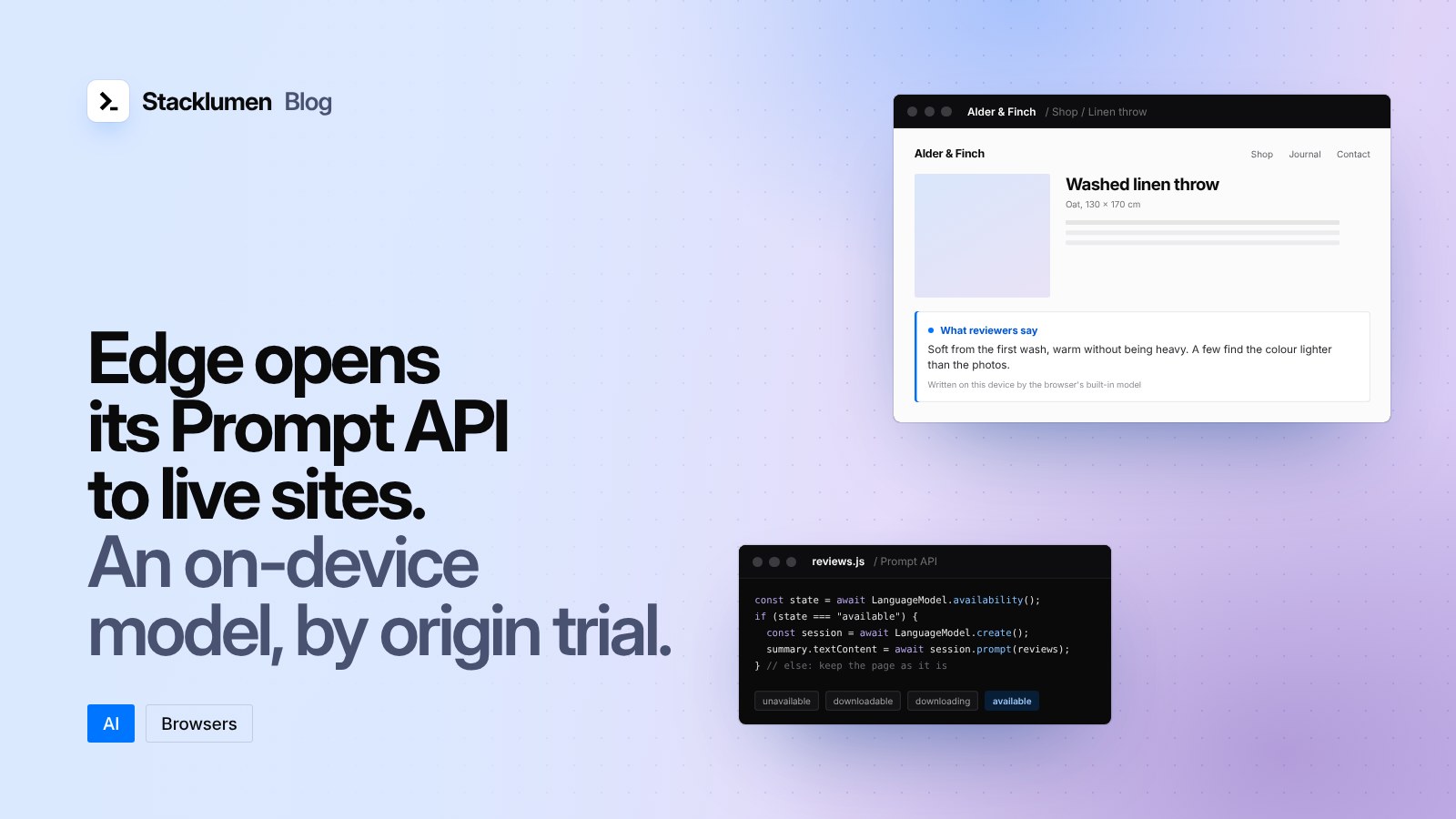
Microsoft Edge has opened an origin trial for the Prompt API, so sites can use the browser's built-in language model, Aion Instruct, on live pages. Here is how it works, what devices it needs and how to try it.

On this page
Microsoft Edge now lets websites use its built-in language model on live pages. On 19 November, the Edge team opened an origin trial for the Prompt API, made its new on-device model, Aion Instruct, generally available, and released an early preview of a second API for classifying text.
Until now, the Prompt API was a developer preview in the Canary and Dev channels only.
What was announced
The Edge team listed three things:
- Aion Instruct is generally available. It is a 2.3 billion parameter small language model. It replaces Phi-4-mini as the model built into Edge, and its weights are published openly on Hugging Face.
- A Prompt API origin trial. Developers can register their site and call the API on their live pages, for a limited period.
- An experimental Decisions API. This is a developer preview in Canary and Dev. A site asks yes/no, multiple-choice or scoring questions about a piece of text, and gets back probabilities and a confidence value without the model writing any text.
How the Prompt API works
The API is exposed as a LanguageModel object in the page's JavaScript. Edge's documentation describes a short sequence:
- Check that
LanguageModelexists. - Call
LanguageModel.availability(). It answersunavailable,downloadable,downloadingoravailable. - Create a session with
LanguageModel.create(). You can pass a system prompt and example exchanges, and follow the model download with amonitorcallback. - Call
session.prompt()for a full answer, orsession.promptStreaming()to show text as it is generated.
A responseConstraint option makes the model answer in a given JSON schema or to match a regular expression, which makes the output easier to use in code.
What runs where
The model runs on the visitor's device. The documentation says the input never leaves the device and is not collected to train AI models, and that there is no cost per request. The model is downloaded the first time a site needs it and is then shared by every site the browser visits.
That download has conditions. The documentation lists:
- Windows 10 or 11, macOS 13.3 or later, or 64-bit Linux with Vulkan GPU drivers on Edge 159 or later.
- At least 20 GB of free storage on the volume that holds the Edge profile. If free space drops below 5 GB, the model is deleted.
- A GPU with at least 3 GB of video memory.
- An unmetered connection. The model is not downloaded over a metered one.
Visitors can also switch the model off under Settings, Copilot and AI, and organisations can block it with policy. So many visitors will not have the model, and some never will.
Starting with Edge 158, text from the Prompt API carries an invisible watermark marking it as AI-generated. Answers produced with responseConstraint are not watermarked. The documentation notes that you are responsible for meeting any rules on labelling AI-generated content if you remove it.
How to try it
To test on your own machine, use Edge 158 or later, enable the Prompt API flag at edge://flags, and restart. The page edge://on-device-internals shows your device performance class; Medium or higher should be supported.
To use it on a live site, register for the Prompt API origin trial through Edge's origin trials page and add the token to your site. Feedback goes to a GitHub issue in the MSEdgeExplainers repository, and the API's design is discussed in the W3C Web Machine Learning Working Group.
The documentation also carries a warning: like other models of its size, Aion Instruct can give unreliable or inaccurate answers, and you should consider the risk of passing untrusted content to it.
What it means for your site
- Treat it as an extra, not a dependency. Check
availability()first and keep the page working when the answer isunavailable. Most visitors on other browsers, older hardware or metered connections will not have the model. - Suit it to small text tasks. Summarising reviews, sorting feedback or tidying form input before it is sent are the kind of tasks the documentation describes. Structured output with a JSON schema is the easiest to build on.
- Plan for the first run. The first use triggers a download. Use the
monitoroption to show progress rather than leaving a visitor waiting with no sign of what is happening. - Check what the model writes. Review its output before it reaches anyone else, and account for the watermark if your code parses or stores the text.
- Remember the trial is temporary. The API may change, so keep code that depends on it easy to remove.
Sources
- Hybrid intelligence on the Web: Introducing Aion Instruct and Prompt API in Microsoft Edge (Microsoft Edge Blog)
- Prompt a built-in language model with the Prompt API (Microsoft Edge documentation)
- Test experimental APIs and features by using origin trials (Microsoft Edge documentation)
- microsoft/Aion-1.0-Instruct-2.3B model card (Hugging Face)
- Prompt API explainer (W3C Web Machine Learning community)