Moving to a CDN? Don't lock Googlebot out
Google has published guidance on moving a site behind a CDN: why crawling can rise while the cache is cold, why blanket bot protection can block Googlebot, and how to slow crawling safely.

On this page
Putting a site behind a content delivery network (CDN) is a common way to make it faster. The CDN keeps copies of your pages and files on servers close to your visitors. It also takes load off your own server, which Google calls the origin.
On 11 November 2026, Google Search Central published guidance on what can go wrong during that move. It covers two problems: a sudden rise in crawling that reaches your origin, and bot protection that blocks Google's crawlers by mistake.
Why crawling can jump after a CDN move
Google sets how fast it crawls a site partly by how quickly the server responds. Google's crawl budget documentation calls this the crawl capacity limit. If responses slow down, Googlebot slows down so it does not overload the server. If responses stay fast and stable, the limit can rise over time, as long as Google wants to crawl more of the site.
When your DNS starts pointing at a CDN, response times can drop sharply. Google says its crawlers read this much like a hardware upgrade, and they can start sending more requests.
The cold cache problem
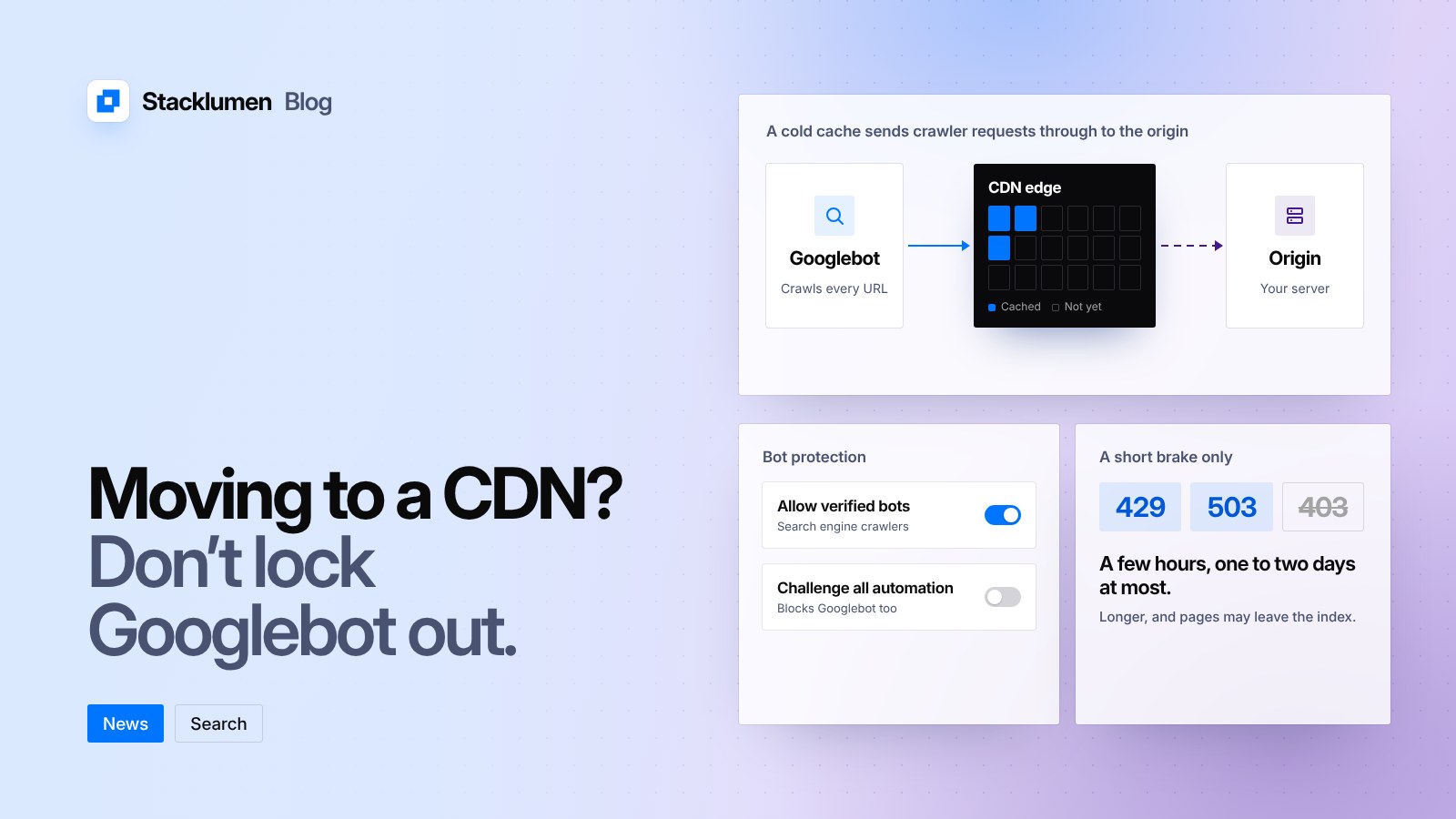
A new CDN starts with an empty cache. The first request for each address is a miss, so the CDN fetches the page from your origin and keeps a copy. Only later requests are served from the cache.
Visitors tend to land on a small set of popular pages, so those warm up quickly. Crawlers work through the whole site. Google points out that many of the addresses they request will not be cached yet, so those requests still go to your origin. Until the cache fills, your own server keeps doing most of the work, now with more crawling than before.
Bot protection that blocks Google
Most CDNs and web application firewalls offer blanket bot protection. Google warns that, without exemptions, these rules treat every automated client the same, including Googlebot. A CAPTCHA or challenge page stops a crawler. If the blocking continues, pages can look broken to Google and may drop out of Search.
What Google recommends
- Allow verified bots. Google notes that most major CDNs and firewalls have a setting or managed rule for known bots. You can check that a request really comes from Google with a reverse DNS lookup, or against the IP ranges Google publishes as JSON files for each type of crawler. To keep out bots you do not want, use robots.txt or rules that target those bots, not a block on all automation.
- Warm the cache first. Before you send all traffic through the CDN, request your busiest pages, any pages about to get a traffic peak, and the addresses Google crawls most often. Do it at a controlled pace.
- Slow crawling only for a short time. If crawling still strains your origin, you can return a 429 or 503 status code instead of the page. Google's crawl rate documentation also lists 500, and says you can add a Retry-After header to 429 and 503 responses. Keep this to a few hours, or one to two days at most. Google warns that if the same address returns these codes for several days, it may be removed from the index. The slowdown applies to the whole hostname, and crawling speeds back up on its own once the errors stop.
Google also says to avoid 403 responses and challenge pages for its crawlers.
What it means for your site
- If you plan to move a site onto a CDN, check its bot protection settings before you switch DNS. Make sure verified search engine crawlers are allowed through.
- Make a list of your most important pages and load them through the CDN before the switch, so they are cached when traffic arrives.
- Watch your origin server's load and logs for the first few days. A rise in crawling at this point is expected, not an attack.
- If you need to slow Googlebot down, use 429 or 503 for a short time only, and remove them as soon as the load settles.
- If pages start dropping from Search after a move, check whether your firewall is sending challenge pages or 403 responses to Google's crawlers.