Safari tests Adaptive Dark Mode for light websites
The Safari 27.3 beta can show light websites with a dark appearance. Here is how it works, and how to keep control of your design.

On this page
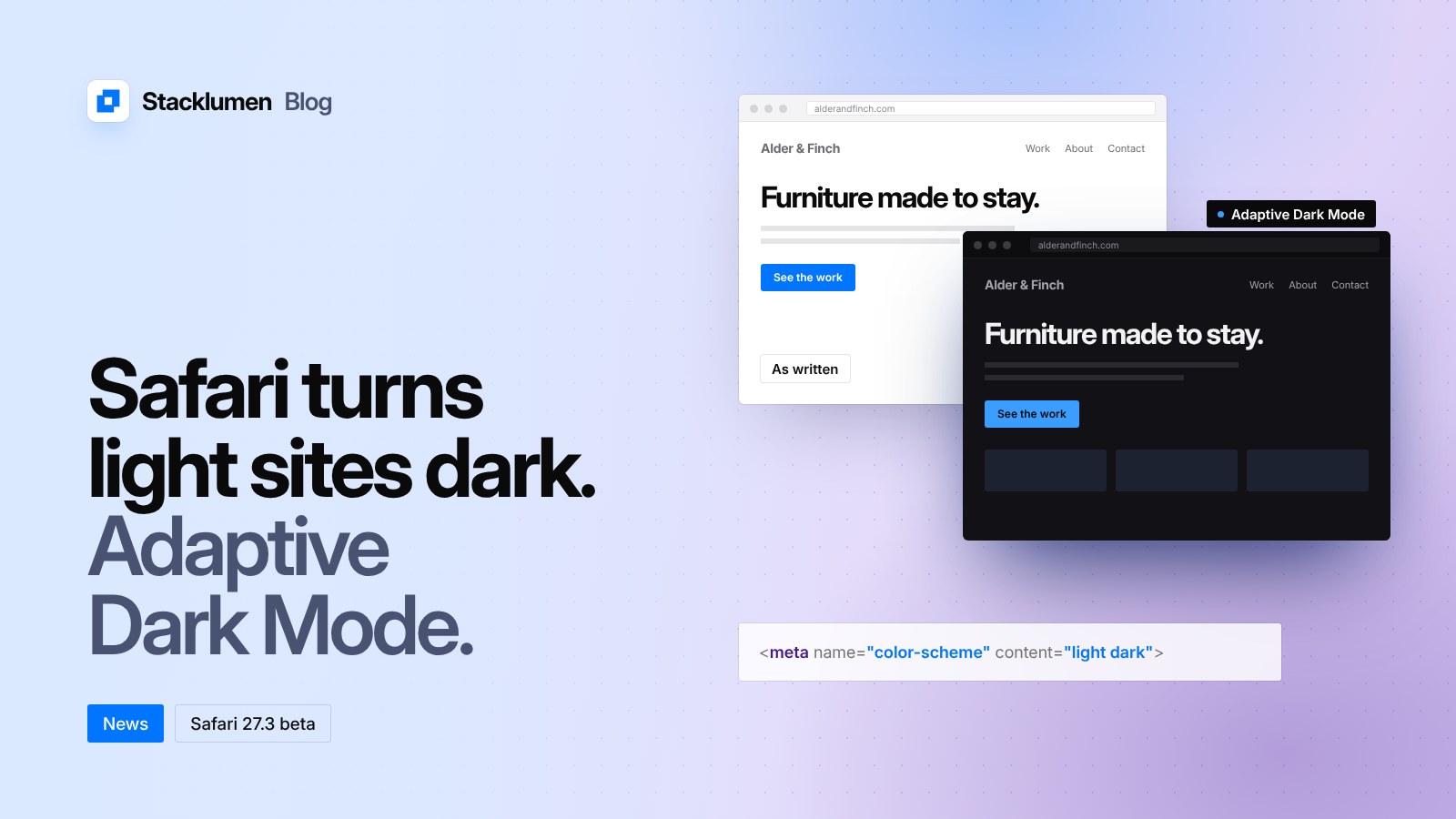
Apple's WebKit team has announced Adaptive Dark Mode, a new Safari feature that shows light websites with a dark appearance. It arrived in the Safari 27.3 beta, released on 3 November 2026. It is not in a final Safari release yet, and WebKit says details may change during the beta.
If your site has no dark design of its own, some Safari visitors may soon see it in colours you did not choose. Here is what the feature does, and how to control it.
What Adaptive Dark Mode does
The feature is turned on by the visitor, not by the site. A visitor needs their system appearance set to dark. When they open a page with a bright background, Safari offers a preview of Adaptive Dark Mode, and they can choose to try it.
Safari first checks whether the page already supports dark mode. A site that declares this with <meta name="color-scheme" content="light dark"> in its HTML, or color-scheme: light dark in its CSS, is left alone. For other pages, Safari estimates whether the page is mostly light or mostly dark. A page that is already dark is not changed. A page that is mostly light is adapted to be dark.
How pages are changed
According to WebKit, the core of the feature is a colour transformation:
- Light backgrounds become dark, and dark text becomes light, while the hue of each colour is kept.
- When it changes text colour, Safari aims for the WCAG minimum contrast ratio of 4.5:1.
- Light CSS gradients are also turned dark.
- Most images are left as they are. SVG images are inspected and their colours changed when needed, so icons and logos stay visible. Simple black-and-white bitmap logos may be inverted.
- Masks and
mix-blend-modemay be turned off on transformed elements, because they can give poor results. <canvas>content is not changed.
Safari also prevents websites from detecting that Adaptive Dark Mode has been applied. JavaScript that reads CSS colours gets the original colours, not the transformed ones. WebKit says this is to avoid giving trackers another way to fingerprint visitors.
How to keep control of your design
You have three options.
Build your own dark mode. This gives you full control. WebKit lists the tools for this, all widely available today: the color-scheme meta tag and CSS property, the prefers-color-scheme media query, <picture> sources for dark images, and the light-dark() CSS function. Declare support in your HTML head or on :root in CSS, not later through JavaScript, so the page draws correctly from the start.
Opt out. If your site must only appear light, <meta name="color-scheme" content="light only"> tells browsers to show it in light mode only. The CSS rule color-scheme: light only does the same, and can be applied to the whole page or to single elements. WebKit notes that the only keyword is not supported in the first 27.3 beta, so this may not work yet.
Let Safari adapt it, and help it do a good job. WebKit says pages built with modern practices generally adapt well. It suggests using SVG rather than bitmaps for logos and icons, CSS colours and gradients instead of tiled background images, CSS for rounded corners, shadows and button states instead of image sprites, transparent backgrounds in content images rather than a baked-in page colour, and enough padding on containers.
You can also mix approaches. Setting color-scheme: light dark on one element and adding your own dark styles gives you control over that part of the page.
Other changes in recent Safari releases
Safari 27.2, released in late October, refined Customizable Select. A new ::field-content pseudo-element styles the selected option's text without the <selectedcontent> element. It also renamed the Grid Lanes property flow-tolerance to fit-tolerance. The old name still works for now as a deprecated alias, and WebKit recommends updating code soon.
What it means for your site
- Check your logo and brand colours. If your site has no dark design, open it in the Safari 27.3 beta with dark appearance on and see how it looks when adapted.
- Decide on a position. Add a real dark theme, opt out with
light only, or accept the adapted version. Doing nothing means accepting the adapted version. - Declare it early. Put
color-schemein the HTML head or root CSS, not in a script that runs later. - Prefer SVG and CSS. Logos as SVG, colours as CSS, and transparent image backgrounds all adapt more cleanly.
- Do not rely on detection. Your scripts cannot tell when a page has been adapted, so test by eye.
- Update Grid Lanes code. If you use Grid Lanes, change
flow-tolerancetofit-tolerance.