Chrome 157: custom text-overflow strings and new ways to insert HTML
Chrome 157 lets clipped text end in your own words, adds text-decoration-inset, and ships new methods for inserting and streaming HTML. Here is what changed and what to check on your site.

On this page
Chrome 157 was scheduled to reach the stable channel on 3 November 2026. Most of its changes are small, but a few touch everyday front-end work: two new text controls in CSS, new methods for putting HTML into a page, a timing detail for slow frames and a security change to Background Fetch. Here is what is in it, from Google's own release notes.
Text that says it was cut short
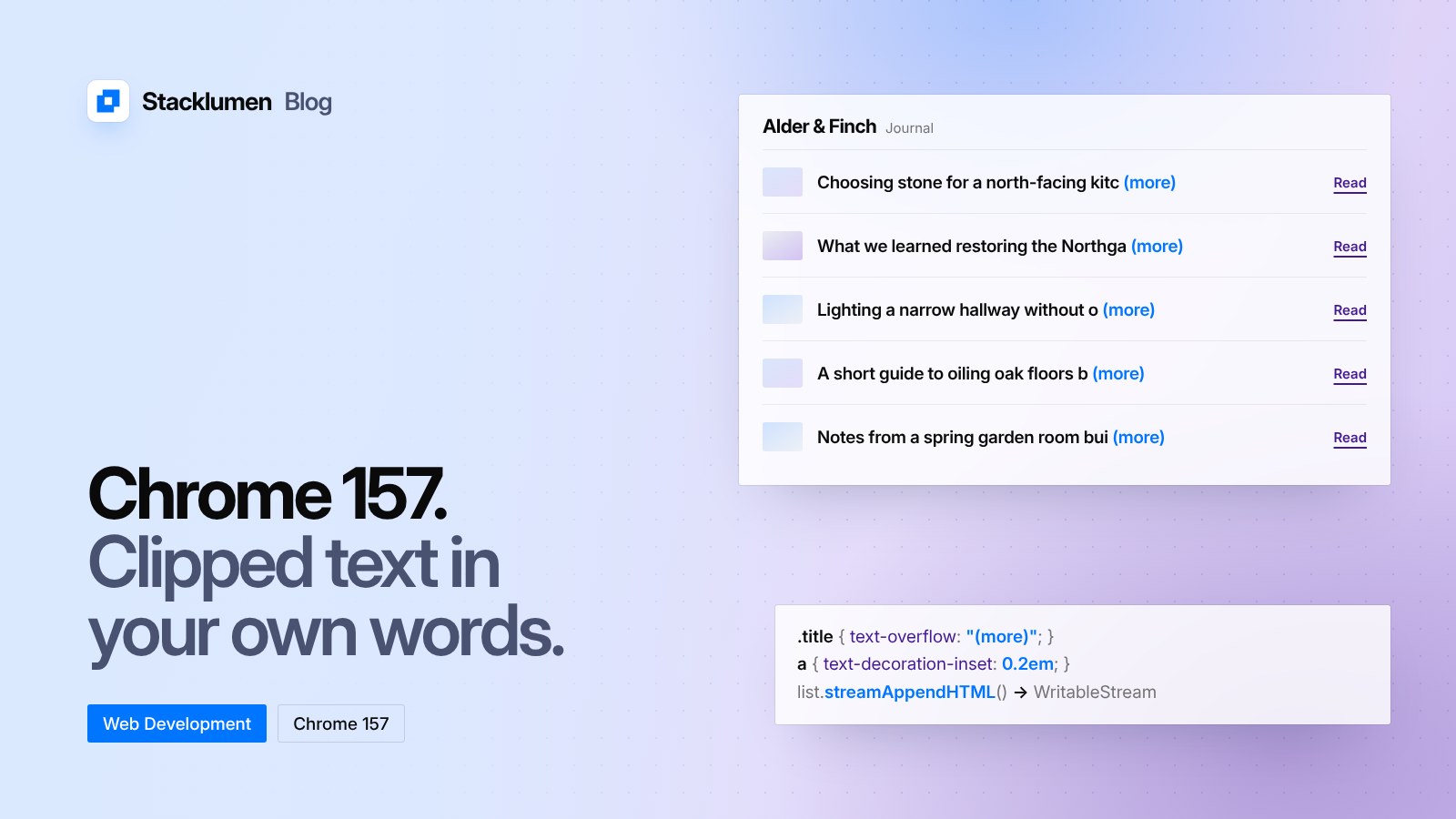
The text-overflow property can now take a string. Until now, text clipped at the edge of its box could end with an ellipsis or with nothing. In Chrome 157 you can give your own words instead, for example text-overflow: "(more)", to show that text has been clipped.
The release also adds text-decoration-inset. It controls how far underlines, overlines and line-throughs are inset from, or extended beyond, the edges of the text. It takes auto, a length or a percentage.
New ways to insert HTML
Chrome 157 ships a refreshed set of methods for adding HTML to a page:
- Positional methods that take HTML directly, such as
appendHTML,prependHTML,beforeHTML,afterHTMLandreplaceWithHTML. Google describes them as effectively replacinginsertAdjacentHTML. - Streaming methods, such as
streamHTMLandstreamAppendHTML, that return aWritableStream, so HTML can be parsed as it arrives rather than all at once. - A
runScriptsoption insetHTMLUnsafe, similar to howcreateContextualFragmentbehaves. - A
createParserOptionshook in Trusted Types, so sites that lock down HTML insertion can apply their policy to the new methods.
Streaming matters most for pages that build content from a server response, such as search results or long lists, because the browser can show the first part before the rest has arrived.
Anchor positioning names settle
Two values of the position-visibility property, used with CSS anchor positioning, have been renamed to singular forms. anchor-visible and anchor-valid now ship. The plural anchors-visible and anchors-valid still work as aliases but are deprecated. The release notes also say that only the default anchor matters for anchor-valid.
Measuring slow frames
The Long Animation Frames API gains styleDuration and forcedStyleDuration. They let you tell how much of a slow frame went on style and layout work, separately from script. This is useful when a page fails Interaction to Next Paint and you need to know where the time went.
Other changes
- Background Fetch now enforces CORS. Requests made through the Background Fetch API follow the same cross-origin rules as a normal fetch, which closes a way around them.
- Language Detector API on Android. Sites can detect the language of text on the device, using an on-device model, in Chrome for Android.
- HTML-in-canvas. New primitives let HTML be laid out and drawn into a canvas, with its geometry kept in step with the page.
- Smaller additions.
ProgressEventcan be constructed in service workers, Web Bluetooth's GATT server can dispatch events, and WebGPU gains 64-bit atomic min and max onatomic<vec2u>. - Origin trials. Connection Allowlists extends to iframes and nested documents, and Overscroll Areas lets elements anchor to the overscroll area of another element.
What it means for your site
- Treat the new features as progressive enhancement. The release notes describe Chrome. Before relying on a custom
text-overflowstring or the new HTML methods, check whether the other browsers your visitors use support them, and keep a sensible fallback such as the default ellipsis. - Search your stylesheets for the plural anchor names. If you use
anchors-visibleoranchors-valid, switch to the singular names now. The old names are deprecated, not removed, so nothing breaks today. - Check Background Fetch code. If your site downloads files with Background Fetch from another origin, make sure that origin sends the right CORS headers.
- Use the new frame timings when chasing slow interactions. If a page is slow to respond,
styleDurationandforcedStyleDurationshow whether style and layout are the cause.