Google explains how to spot Search traffic in your own logs
A new Google Search Central page lists the Referer values Google Search sends, why the header is sometimes blank, and why your numbers won't match Search Console.

On this page
Google has added a page to its Search documentation that explains how to identify visits from Google Search in your own analytics or server logs. It was published on 12 November 2026 and lists the exact Referer values Google Search sends, why the header is sometimes empty, and why your numbers will not match Search Console one to one.
What the Referer header tells you
When someone clicks a result in Google Search, their browser sends an HTTP Referer request header with the visit. It names where the click came from.
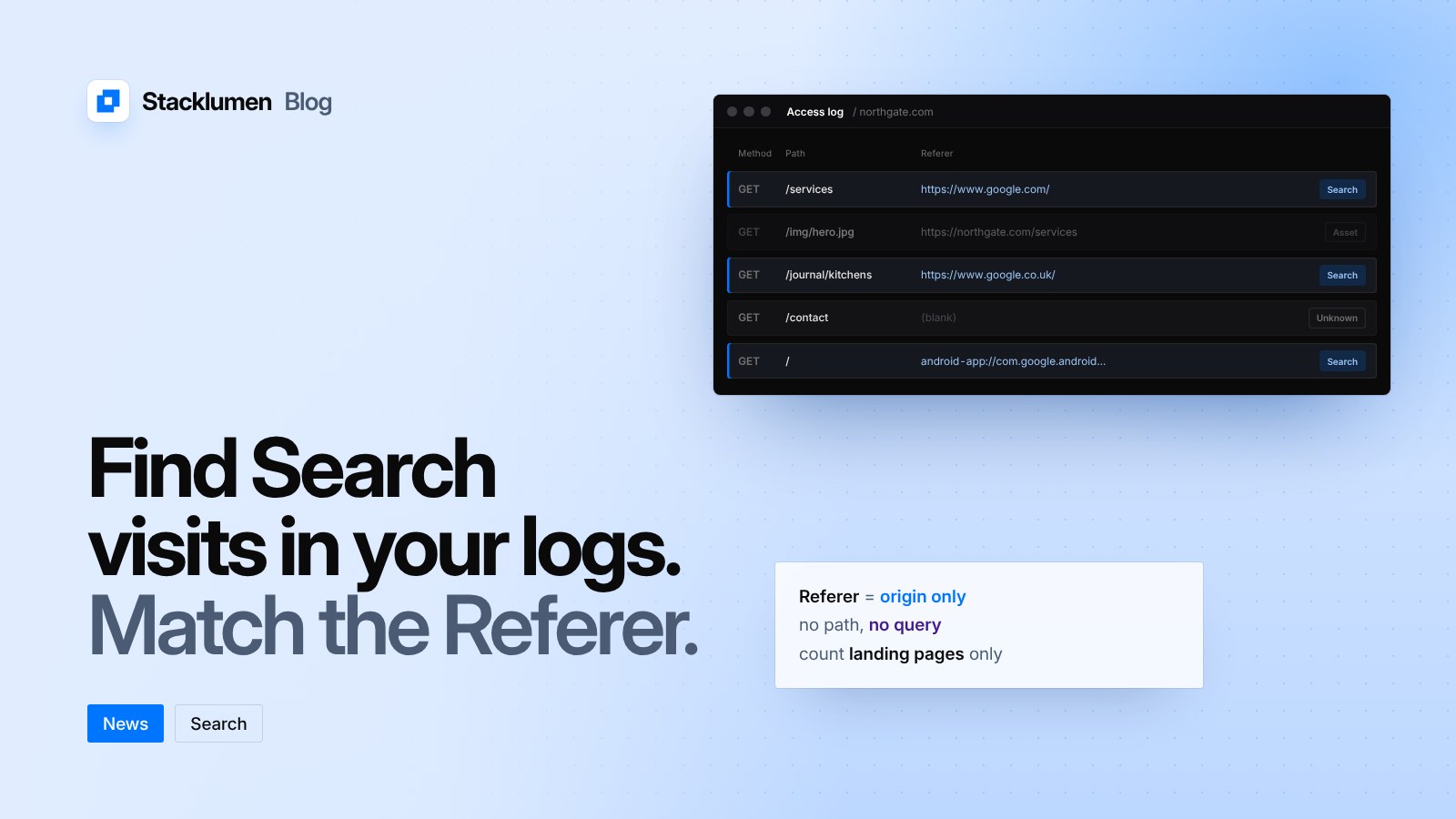
Google Search uses the origin referrer policy. That means the header carries only the scheme and host, such as https://www.google.com/. It never includes the path or query parameters. In particular, it does not include the search query. Google points site owners to the Performance report in Search Console for query data.
The values to match
Google lists these values:
- Google Search on the web:
https://www.google.com/, or a local Google domain such ashttps://www.google.co.uk/orhttps://www.google.co.jp/. - Google app on Android:
android-app://com.google.android.googlequicksearchbox/https/www.google.comwhen the app opens the link in a browser tab, orhttps://www.google.com/(or a local domain). - Google app on iOS:
https://www.google.com/(or a local domain).
Traffic from Discover uses the same values as the surface where the person viewed Discover. Other Google services served from the same origins, such as Google Images, send the same values too, so matching these patterns will include that traffic as well.
Count landing pages, not assets
Browsers also send a Referer header when they fetch images, CSS and JavaScript. For those requests the value is your own page's URL, not Google's. If you read raw server logs, Google's advice is to count only requests for the landing pages themselves.
Most analytics tools already recognise these values and file the visits as organic search from Google. If Google traffic appears as referral or direct instead, Google suggests checking custom channel rules, referral exclusions and filters in your analytics setup.
Why the header is sometimes blank
Even with the origin policy, the browser or operating system may drop the Referer header, or hide document.referrer from scripts. Google names several common cases:
- Private browsing modes and anti-fingerprinting protections.
- Opening search results in a new tab, in some browsers.
- Moving from a native mobile search widget to an external browser.
- Visitors with privacy extensions or strict browser settings.
Script-based tracking can also miss visits because of privacy settings, consent choices and ad blockers.
Why your numbers differ from Search Console
Google is clear that this method is not exact. The reasons it gives:
- Privacy settings and client setups can block analytics scripts, strip query parameters or remove the
Refererheader. - Redirects on your site matter. A JavaScript or
meta refreshredirect may replace theRefererwith your own page's URL. A redirect that does not keep the query string drops parameters such asgclid. A redirect that sends a stricterReferrer-Policyheader can remove theRefererentirely. - Measurement differs. Search Console counts a click when someone selects a link. Analytics tools count a visit only after the page loads and the tracking code runs.
- Paid and organic traffic. Search Console reports only organic clicks. Your analytics totals may include paid traffic, depending on how they are set up.
What it means for your site
- If you report on organic traffic for clients, match the values above in your log or analytics rules, including local Google domains and the Android app value.
- Exclude asset requests when you count from server logs, or your totals will be inflated by images and stylesheets.
- Check your redirects. Avoid JavaScript or
meta refreshredirects on pages people land on from search, keep the query string when you redirect, and make sure a redirect does not send a stricterReferrer-Policythan you intend. - Expect a gap between your logs and Search Console, and explain it to clients up front. Use Search Console for queries, and your own data for what visitors did after they arrived.