Modern Web Guidance 1.0 gives coding agents web platform know-how
Chrome has released version 1.0 of Modern Web Guidance, a set of skills that helps AI coding agents write more accessible, faster and safer website code. Firefox and Edge have joined the project.

On this page
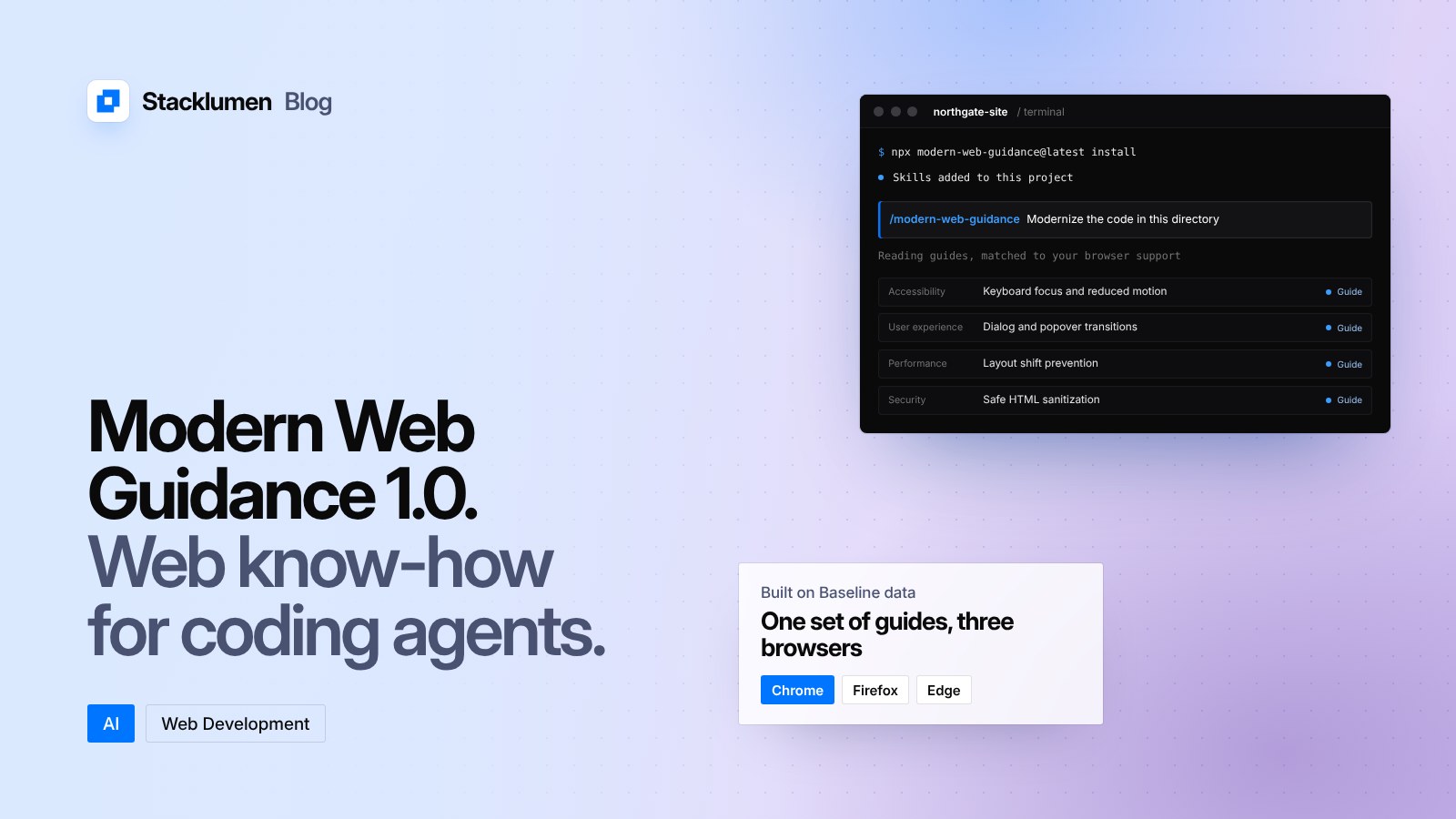
On 10 November 2026, the Chrome team released version 1.0 of Modern Web Guidance. It is a set of skills for AI coding agents that, in Google's words, embeds "web platform expertise, best practices, and browser compatibility data" into the agent. An early preview was shown at Google I/O in May. With 1.0, Firefox and Edge have joined Chrome on the project.
If you, your developers or your agency use an AI agent to write website code, this is an add-on aimed at the mistakes those agents still make.
Why it exists
Google's post makes a plain point: current coding models can usually produce code that works, but a web expert reviewing it can almost always make it faster, more accessible or more secure. The project's own evaluations, published on a public dashboard, list the areas where models most often fall short:
- Accessibility: keyboard focus and inert management, reduced-motion support, and accessible form validation.
- User experience: swipe and touch gestures, dialog and popover transitions, and light and dark themes.
- Performance: scheduling work on the main thread, offscreen rendering and preventing layout shift.
- Security: safe HTML sanitization, strict Content Security Policies and passkeys.
Google also notes that agents tend to reach for JavaScript when an HTML or CSS feature would do the same job with less code, better performance and built-in accessibility. Its examples include animating dialogs and popovers, scroll and swipe interactions, page transitions, passkeys for sign-in, and autofill for checkout forms.
What is in version 1.0
The release adds four things over the preview:
- A larger set of guides, aimed at what the post calls "hundreds of verified AI knowledge gaps", each with a cross-browser solution.
- Human review of every guide, including sign-off from the tech lead for each area. The guides that affect what visitors see also had a separate accessibility review, and were tested with real assistive technologies by people who use them every day.
- Evaluation coverage for every guide, shown on a public dashboard that compares agents with and without the guidance.
- A modernization workflow that scans an existing project's HTML, CSS, JavaScript and
package.jsonfor safe upgrades, then guides the agent through the changes.
The modernization workflow is deliberately narrow for now. In this first release it uses static analysis to look for a limited set of known patterns. Google says it plans to add "agentic audits" later, where the agent reasons about the code itself.
How it decides what to recommend
The guides carry Baseline and browser compatibility data. Baseline is the shared, cross-browser measure of which web features are safe to use. Modern Web Guidance uses it to suggest the best feature for a job based on the browsers your project needs to support, rather than defaulting to the newest feature or the oldest workaround. Because the guides are maintained by browser engineers, standards experts and accessibility specialists, Google says the recommendations will change as features become widely available.
The post also suggests pairing the guidance with Chrome DevTools for agents. The guidance tells the agent how to write the code. DevTools lets the agent run it and check the result, for example by tracing performance on a simulated low-end CPU until no task blocks the main thread for more than 50 milliseconds, the level Google gives for not contributing to poor Interaction to Next Paint.
How to install it
From your project's folder, run:
npx modern-web-guidance@latest install
If you installed the preview, update it with:
npx modern-web-guidance@latest update
Google says it can also be installed through the plugin marketplaces of most popular coding agents and editors. To run the modernization workflow, ask your agent: /modern-web-guidance Modernize the code in this directory.
What it means for your site
- If an agent writes code for your site, add it. It installs with one command and targets the accessibility, performance and security gaps that agents most often leave behind.
- Try the modernization workflow on older code first. Sites built a few years ago often carry polyfills and workarounds that browsers no longer need. Review each suggested change, and test it, before you ship.
- Keep checking the result. The guidance improves what an agent writes, but it does not test your pages. Run your own accessibility and performance checks, and keep a person reviewing changes that reach visitors.
- Set your browser support on purpose. The recommendations depend on the browsers you target, so decide which ones matter to your visitors.
- Use the guides yourself. Google notes that many developers read the guides directly as a learning resource.