MCP servers can now ship skills to Claude, and Tasks and Elicitation are generally available
Anthropic has put Skills over MCP into public beta, so an MCP server can publish written workflows alongside its tools. Tasks and Elicitation are now generally available in Claude and Claude Code.

On this page
On 24 November, Anthropic put Skills over MCP into public beta in Claude and Claude Code. An MCP server can now publish skills alongside its tools: written instructions for multi-step work that Claude loads only when a task needs them. In the same announcement, two other MCP features became generally available, Tasks and Elicitation, and a third, File Uploads, is rolling out soon.
If you use AI agents to build or run websites, or you build an MCP server for your own service, these changes affect how an agent works with the tools you connect.
What a skill over MCP is
A tool's name and description say what it does, but not how to use it well for a particular job. A skill fills that gap. Anthropic describes skills as a place for best practices, step-by-step workflows and playbooks for a user's account or organisation.
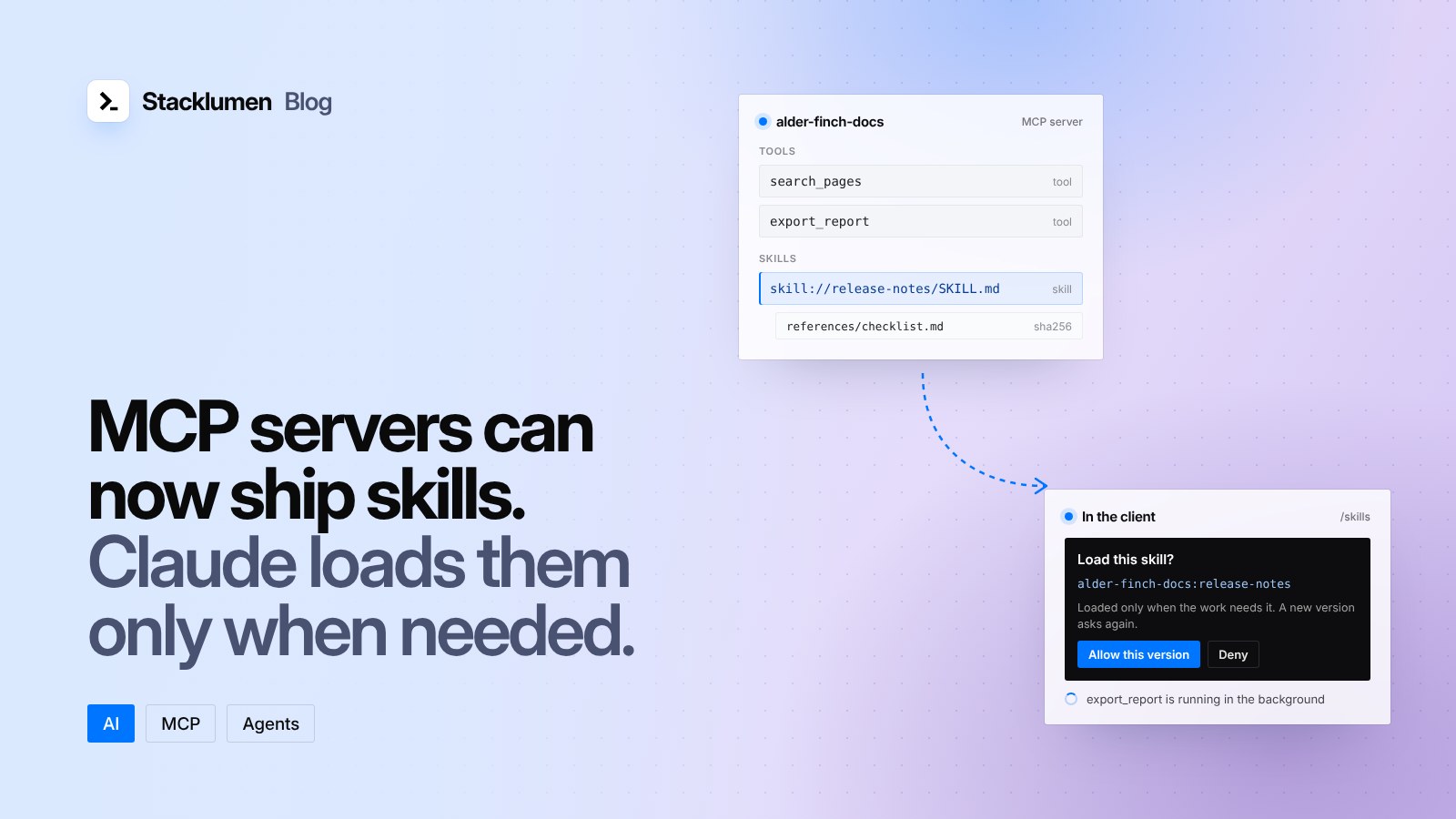
The open MCP Skills extension defines how this works. A skill is a directory with a SKILL.md file and optional supporting files. A server that supports the extension declares it, and clients use two new requests, skills/list and skills/get, to find skills. The files themselves are read through MCP's existing resources feature.
Each skill comes with a manifest that lists every file with its size and SHA-256 digest. The client must check each file against the manifest before using it. If a file changes, is added or is removed, any approval the user gave for that skill is revoked and must be given again. The specification suggests servers keep each skill under 512 files or 16 MiB.
Because skills come from the server, they update with it. Anthropic notes there is nothing separate to install.
Who has it
Skills over MCP is a public beta in Claude and Claude Code:
- On by default for Pro, Max and Ultra plans.
- Available to Team plans once an admin turns it on.
- Coming soon to Enterprise.
In Claude Code, MCP skills need version 2.1.331 or later. A skill's name takes the form server:skill, so a pdf skill on a server named docs is docs:pdf. You can find skills by typing / at the prompt, or with /skills in the terminal or VS Code.
Approvals and controls
How a skill is approved depends on Claude Code's permission mode. In auto mode, the default, a classifier decides whether the skill loads and no prompt is shown. In Manual or acceptEdits mode, you see a prompt, and Allow this version skips the prompt until the server changes the skill's files.
You can also set permission rules per server. A deny rule such as Skill(mcp__docs__*) blocks every skill from the docs server, Skill(docs:pdf) blocks just one, and an ask rule shows a prompt each time a skill from that server loads.
The specification says hosts must treat skill content as untrusted input, and that running code or granting permissions from a skill needs explicit approval for that skill. Claude Code's documentation asks you to verify you trust each server before connecting it.
Tasks and Elicitation are generally available
Tasks let a server run a long operation in the background. Before, a tool call had to finish before Claude could move on. Now Claude keeps working and picks up the result when it is ready. Claude Code's documentation notes that stopping a task does not guarantee the server stops, so check with the server what was done before calling the tool again.
Elicitation lets a server pause during a call and ask the user for input through a form or a link, then continue. Anthropic gives the example of actions that need a user's sign-off, such as spending money or deleting data.
Both are generally available in Claude and Claude Code for Pro, Max and Ultra plans, and rolling out to Team and Enterprise organisations.
File Uploads, rolling out soon, lets Claude pass files such as PDFs, spreadsheets and images to an MCP server without sending them through the context window.
Anthropic says these features are part of the open MCP specification and its extensions, so compatible servers should work with other clients too.
What it means for your site
- Review the servers you connect. A server can now send instructions as well as tools. Connect only servers you trust, and use
denyoraskrules for any you want to keep a closer eye on. - Check your team settings. On a Team plan, an admin has to turn Skills over MCP on before anyone sees server skills.
- Update Claude Code. Server skills need version 2.1.331 or later.
- If you build an MCP server, consider writing skills for the workflows people ask about most, and use Elicitation to ask for confirmation before anything costly or destructive.
- Plan for background work. With Tasks, a long export or build can keep running after the call returns, so make sure a repeated call cannot do the same work twice.