Clients can leave notes on their site, and get their week
Clients can now pin notes to the exact spot on their site that should change, see when someone is working on it, and get a weekly summary and recorded walkthroughs in their portal.

On this page
Four updates to the client portal shipped on 26 October. Together they change how a client follows the work on their site: they can point at what should change, see when someone is working on it, get a short summary of their week, and watch a recorded walkthrough of new work. This post covers each one.
Clients can leave notes on their site
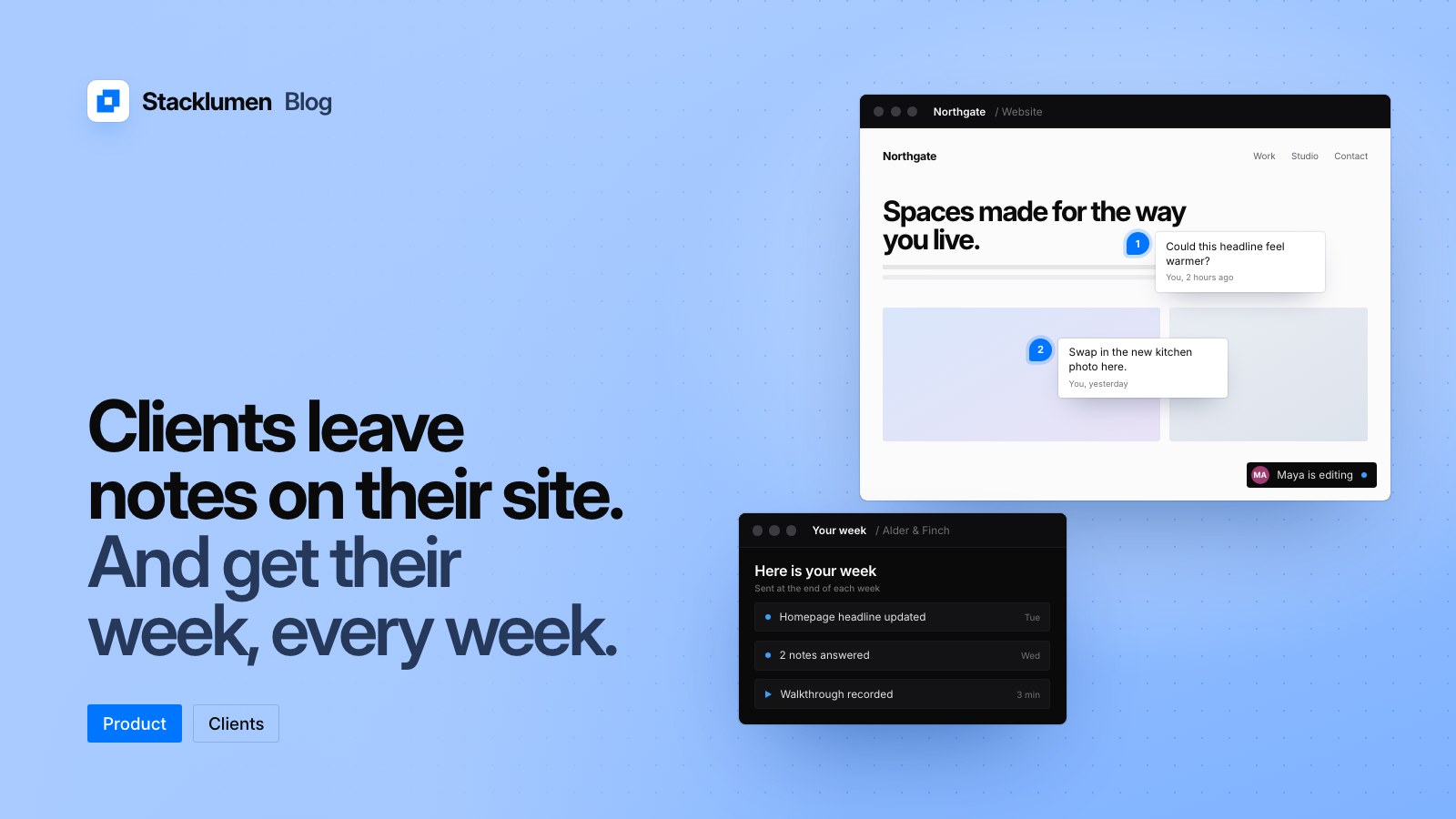
In a client's portal, Notes on your site opens their published site full size. The client clicks a spot on the page and says what should change. It reaches you as a client request that names the page and what they clicked.
- Each note shows as a numbered dot on the page, with its status beside it.
- The dot sits in the same place on a phone, a laptop and your screen.
- Anything you asked the client to approve about the site sits at the top, where they can approve it or send it back.
- Your Client requests inbox shows where each note was pinned.
This replaces the email with a screenshot and an arrow drawn on it. The request arrives with the page and the element already attached.
Clients see who is working on their site
While someone at your agency is editing a client's site, the client's portal says so, with that person's photo and the page they are working on.
- It follows the designer's saves, and goes quiet five minutes after the last one.
- Clients see it only for sites shared with them or already live.
Send clients their week
From StackIDE you can send each client's people a summary of their week. It covers their visits, form entries, orders and updates against the week before, and what was finished for them. In their portal it opens as Your site this week.
- Clients see their own sites and a count of the work done. They never see your task titles.
- When there is something to show, the week also opens on its own once a week in the portal.
Walk clients through new work
You can record a walkthrough of your screen and voice in StackIDE. It plays at the top of the client's portal. Use it to explain a new page or a change, instead of booking a call for it.
A morning brief for you
The same day, the apps gained a morning brief. The first time you open Stacklumen each day, a short brief covers your wins since you last looked, what could use a hand, and what today holds. On Mondays it adds the week just gone, set against the week before.
A site's first publish, its own domain going live, a new member joining and an upgrade each get a short moment of their own, once. A client sees their site's launch day in their portal. You can turn moments off from the moment itself.
What it means for your agency
- Point clients to Notes on your site for feedback, so requests arrive with the page and spot attached.
- Decide which clients should get the weekly summary, and send it from StackIDE.
- Record a short walkthrough when you ship something a client needs to understand.
- If you would rather clients did not see live presence on a site, remember it shows only for sites shared with them or already live.
The full entries are on the changelog.