Developers: one site at a time, and every event sent
The Developers sheet and the designer's Developers popup can now show one site, every event the webhook list offers is now sent, and an endpoint that keeps failing tells you before it goes quiet.

On this page
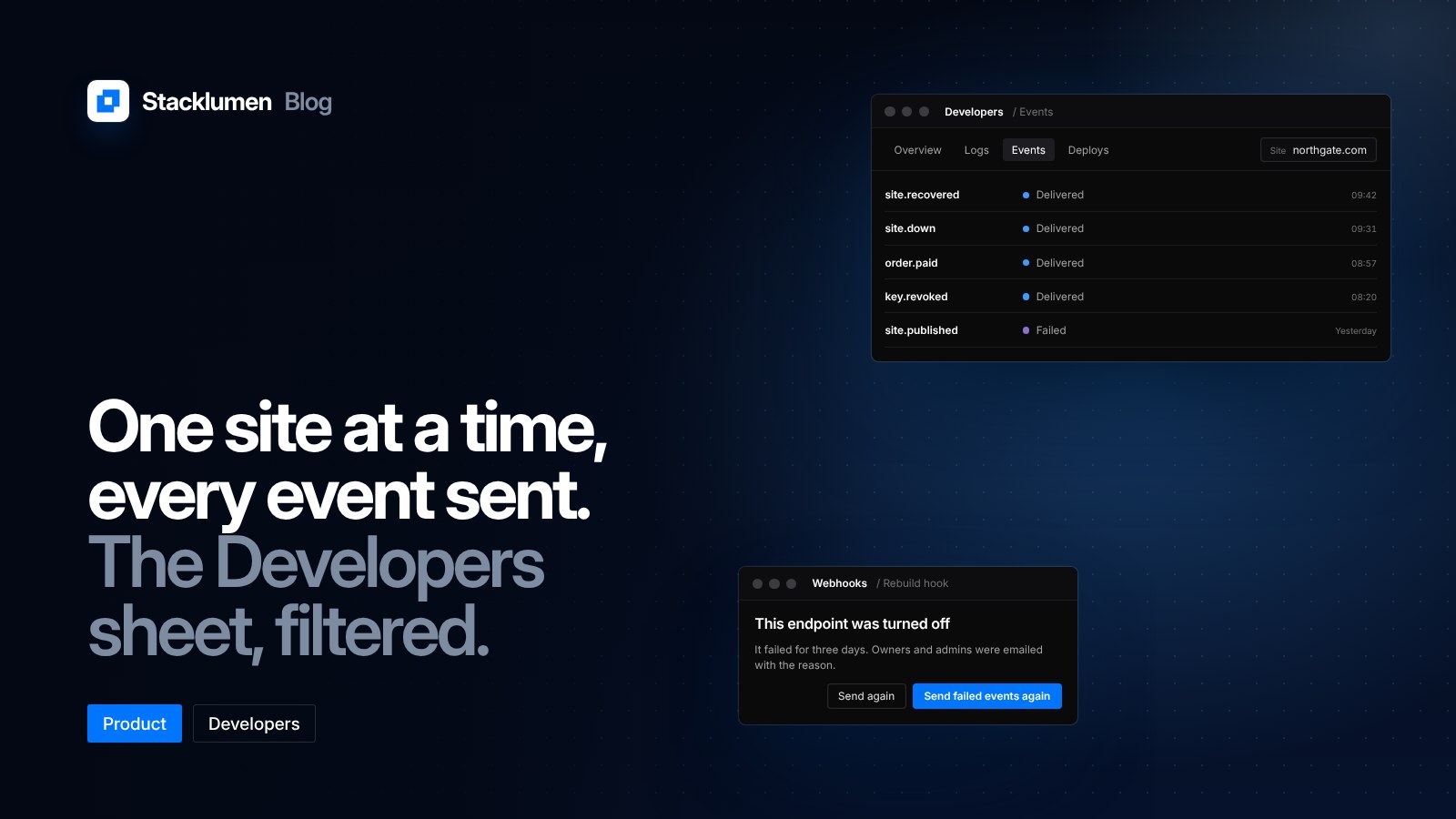
The Developers sheet and the designer's Developers popup can now show one site at a time. At the same time, every event the webhook list offers is now sent, and an endpoint that keeps failing tells you before it goes quiet. These changes shipped on 6 November.
If you look after many sites in one workspace, or rebuild a site from webhooks, this is the part of Stacklumen where you check what happened and why.
One site at a time
Logs, Events, Overview and Deploys in the Developers sheet now filter to one site. When something goes wrong on a single client's site, you can look at that site's activity without the rest of the workspace mixed in.
You can also make a webhook endpoint for one site straight from the sheet. An endpoint made this way hears that site alone, so a rebuild for one site is not set off by another site's publish.
The designer's Developers popup now has Events and Webhooks for the site you have open, and its Activity shows that site's own activity.
More events are sent
Every event the webhook list offers is now sent. The new ones are:
- site.down and site.recovered, for a site going down and coming back
- order.paid, when a store order is paid
- the four domain events
- tool.run_completed in Stacklumen Base
- key.created and key.revoked, now from Agents & API too
order.refunded is sent when a store order is refunded. Rotating a key sends key.revoked for the old one, so a receiver that tracks your keys sees the old key go.
Endpoints that keep failing
An endpoint that fails for three days is turned off. When that happens, its owners and admins are emailed, and the email says why. You no longer find out only when you notice that deliveries have stopped.
Once the receiver is fixed, Send failed events again and Send again catch it up on what it missed.
Deploys, keys and logs
- Deploys show each address and any failure, with Promote and Put live again beside them.
- API keys can be rotated in the sheet.
- Logs filter by time and by key, and download as CSV or JSON.
- Overview follows Live and Test.
- Logs show a site's form posts separately.
What to do now
- If you run a build from webhooks, consider making the endpoint for the one site it builds, from the Developers sheet, so other sites' publishes do not set it off.
- If you want to hear about outages, add site.down and site.recovered to an endpoint that reaches your team.
- If you sell through a store, order.paid and order.refunded give your own systems the moment an order is paid or refunded.
- If you rotate keys, a receiver that listens for key.revoked will now see the old key's revocation.
- Check the email addresses on your workspace's owners and admins, since they are the ones told when an endpoint is turned off.