Safari Technology Preview 257 changes print sizing and preload headers
Safari's latest preview prints at 96 CSS pixels per inch instead of 90, and only the HTML page's own Link headers now trigger preloads. Here is what to check on your sites.

On this page
Apple released Safari Technology Preview 257 on 18 November 2026. Technology Preview is the early build of Safari that web developers use to test what is coming to the browser. Release 257 is available for macOS Golden Gate and macOS Tahoe, and existing installs update from Software Update in System Settings.
Most of the release is bug fixes, but a few of them change how existing pages behave. Two are worth checking against your own sites now: print layout and Link preload headers.
Printing now uses 96 CSS pixels per inch
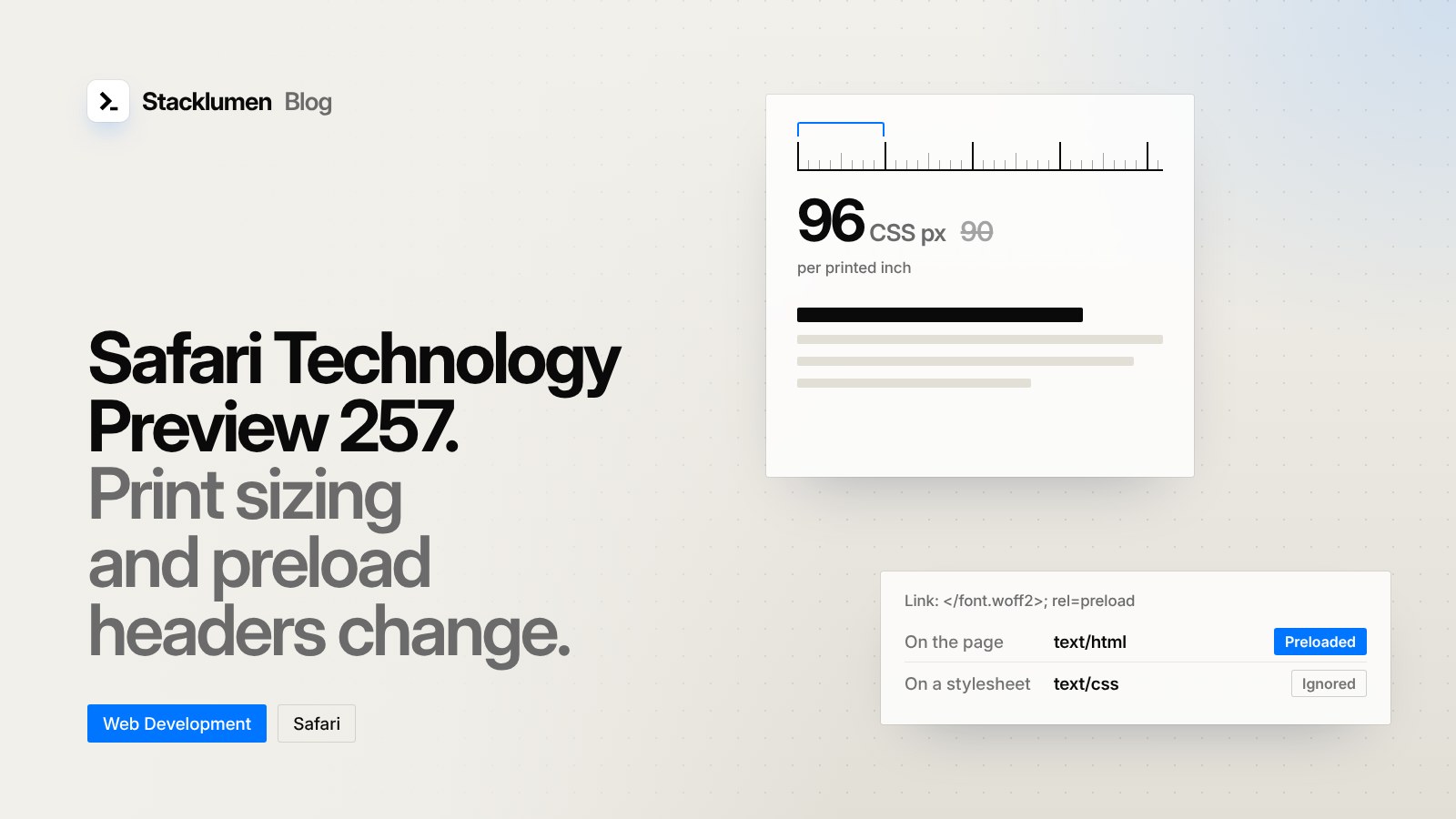
The release notes say Safari now lays out printed page content "at 96 CSS pixels per inch instead of 90, matching the CSS specification." The CSS Values specification defines one inch as 96px.
In practice, 96 pixels now fit into each printed inch where 90 did before, so content sized in px prints slightly smaller than it did. The release notes warn that layouts tuned for print may shift. If you have print stylesheets for invoices, tickets, menus or reports, print them from this preview and compare. Look for page breaks that move, tables that now fit on one page, and text that was sized to fill a page exactly.
A second print change: window.print() no longer waits for active XMLHttpRequest requests, such as long-polling, to finish. The print dialog now appears after the load event.
Link headers on subresources no longer preload
Sites can ask a browser to fetch a file early with an HTTP Link header, for example Link: </font.woff2>; rel=preload. The release notes say Safari was incorrectly acting on these headers when they came back on subresources, such as CSS files, scripts and fonts. Now only the main resource, the HTML page itself, triggers rel=preload and rel=preconnect.
If your server or CDN adds Link headers to every response, the ones on stylesheets and scripts will stop doing anything in this build. Put preload and preconnect headers on the HTML response, or use <link rel="preload"> tags in the page head.
Other changes in this release
<select multiple size="1">now renders as a dropdown on macOS. A preview of the enhanced<select>with themultipleattribute is included but turned off by default.::first-letterand::first-linenow accept only the properties the CSS Pseudo-Elements specification allows, and both can be animated.insertRule()now works with@scoperules.- JSON documents and web app manifests are always decoded as UTF-8.
- Elements with
will-changethat cover a very large area no longer create as many compositing layers, which reduces memory use. - Safari adds support for the WebAuthn cross-device fallback URL extension, and
AudioWorklet.portfor messaging between a page and its audio worklet.
These changes are in the preview build only. Apple's release notes do not say which Safari release will include them.
What it means for your site
- Print pages: if your site has print styles, test them in Safari Technology Preview 257. Content sized in
pxwill print a little smaller than before. - Preload headers: check where your
Linkheaders are set. Only the ones on the HTML page itself will count in Safari from this build. - Manifests and JSON: save web app manifests and JSON files as UTF-8.
- Large animated areas: if you use
will-changeon full-page backgrounds, there is nothing to change, but memory use in Safari should improve. - No action needed yet for most sites: these are previews. Use them to find problems before the changes reach the Safari your visitors use.