Vite fixes a critical dev server flaw: update to 8.3.7 or later
A critical flaw in Vite's development server can let someone on the network run code on the machine running it. It only affects dev servers opened with --host or server.host, and the fix is to upgrade.

On this page
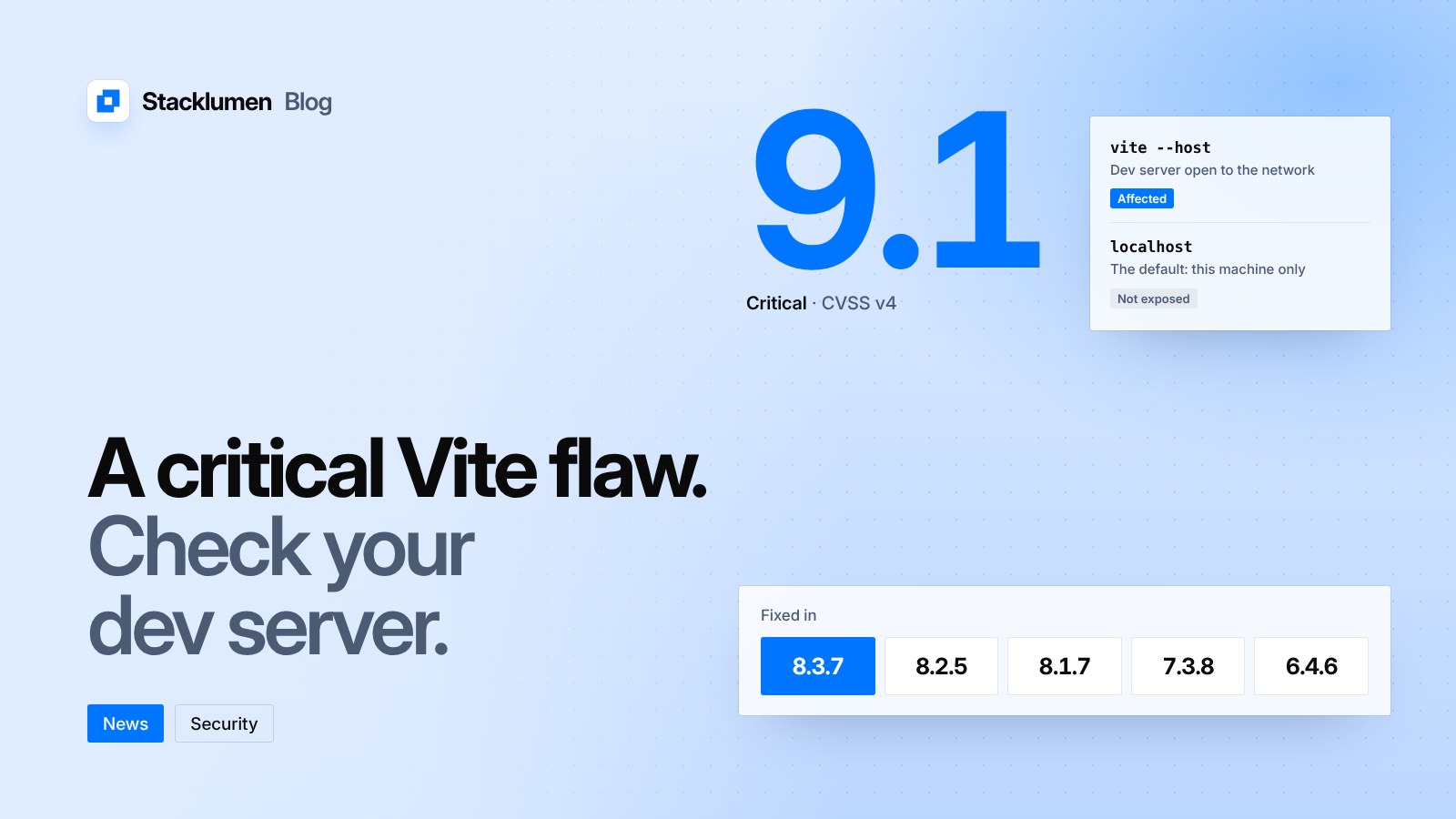
Vite has fixed a critical flaw in its development server. It can let someone on the network run code on the machine that is running the dev server. The advisory, GHSA-p4f5-76q4-ffq7, was published on 10 November 2026 and is rated 9.1 (Critical) under CVSS v4.
It does not affect every project. It only affects a dev server that has been opened to the network. If your team ever starts Vite with --host, or sets server.host in its config, read on.
What the flaw is
Vite's resolver plugin uses two internal virtual modules, __vite-browser-external and __vite-optional-peer-dep. The advisory says both took a module ID from the request URL and placed it into generated code without escaping it. By sending a crafted HTTP request to the dev server, an attacker could inject their own module code.
The advisory describes two results:
- Injected imports could pull files from outside the
server.fsallow list into the module graph, where they could then be fetched. - Injected code could be run on the server itself, through the evaluation path Vite uses for
new Workerandimport.meta.glob.
The advisory also notes that Vite's blocklist of globals such as exports and require is not a security boundary, and that it can be bypassed. The attack needs no account and no action from the person running the server.
Who is affected
Only projects that expose the Vite dev server to the network are affected. Vite's documentation says server.host defaults to localhost. Setting it to 0.0.0.0 or true makes the server listen on all addresses, including LAN and public addresses. The --host flag on the command line does the same.
Teams often do this to test a site on a phone over office Wi-Fi, to reach a dev server inside a container or a virtual machine, or to share a preview from a cloud development environment. Each of those is the condition the advisory names.
Production builds are a separate step. The advisory is about the dev server, so a site built with vite build and served as static files is not what it describes. Your build machine and your developers' laptops are where the risk sits.
Affected and fixed versions
The advisory lists these affected ranges of the vite package:
- 8.3.0 to 8.3.6, fixed in 8.3.7
- 8.2.0 to 8.2.4, fixed in 8.2.5
- 8.0.0 to 8.1.6, fixed in 8.1.7
- 7.0.0 to 7.3.7, fixed in 7.3.8
- 4.0.0 to 6.4.5, fixed in 6.4.6
The vite-plus package is also affected up to 1.5.0, and is fixed in 1.5.1. The advisory lists no workaround: the remedy is to upgrade. The fixed releases appear on Vite's GitHub releases page, dated 9 November. A newer 8.3.8 has followed.
What it means for your site
- Check the version your lockfile installs. Your
package.jsonmay allow a range, so look at the installed version, not the one you asked for. Your package manager's list or why command will show it. - Upgrade within your major version. Move to 8.3.7 or later on the 8.3 line, 8.2.5 on 8.2, 8.1.7 on 8.1, 7.3.8 on 7, or 6.4.6 on 4 to 6.
- Look for Vite inside other tools. If your framework's dev command runs Vite for you, the installed Vite version is still the one that matters. Update the framework or the Vite dependency until the lockfile shows a fixed release.
- Keep the dev server on localhost unless you need it. Remove
--hostfrom scripts andserver.hostfrom config where nobody relies on them. Where you do need network access, use a network you trust, and stop the server when you are done. - Treat shared dev environments as exposed. A dev server in a container or a cloud workspace with a public preview address meets the condition in the advisory. Update those images first.