W3C asks website tools to make accessible content the default
The W3C's accessibility initiative says the tools people use to publish should ask for alt text, offer only accessible choices and make failures hard, and a proposed charter would update the standard behind it.

On this page
On 10 November 2026, the W3C Web Accessibility Initiative (WAI) published a blog post about authoring tools: the software people use to make web content. Its argument is simple. Most people who publish on the web are not accessibility experts, so the tools they use should make accessible content the default. In the same month, W3C staff proposed a new charter for a working group to update the standard that covers those tools.
What counts as an authoring tool
The post names social media, no-code website builders, content management systems (CMS) and learning management systems. In other words, anything people use to put words, images and pages online. The W3C notes that one tool serves many authors, so each accessibility feature a tool adds is repeated across everything its users publish. That is the "multiplier effect" in the post's title.
What the W3C asks tools to do
The post lists concrete behaviours it wants from authoring tools:
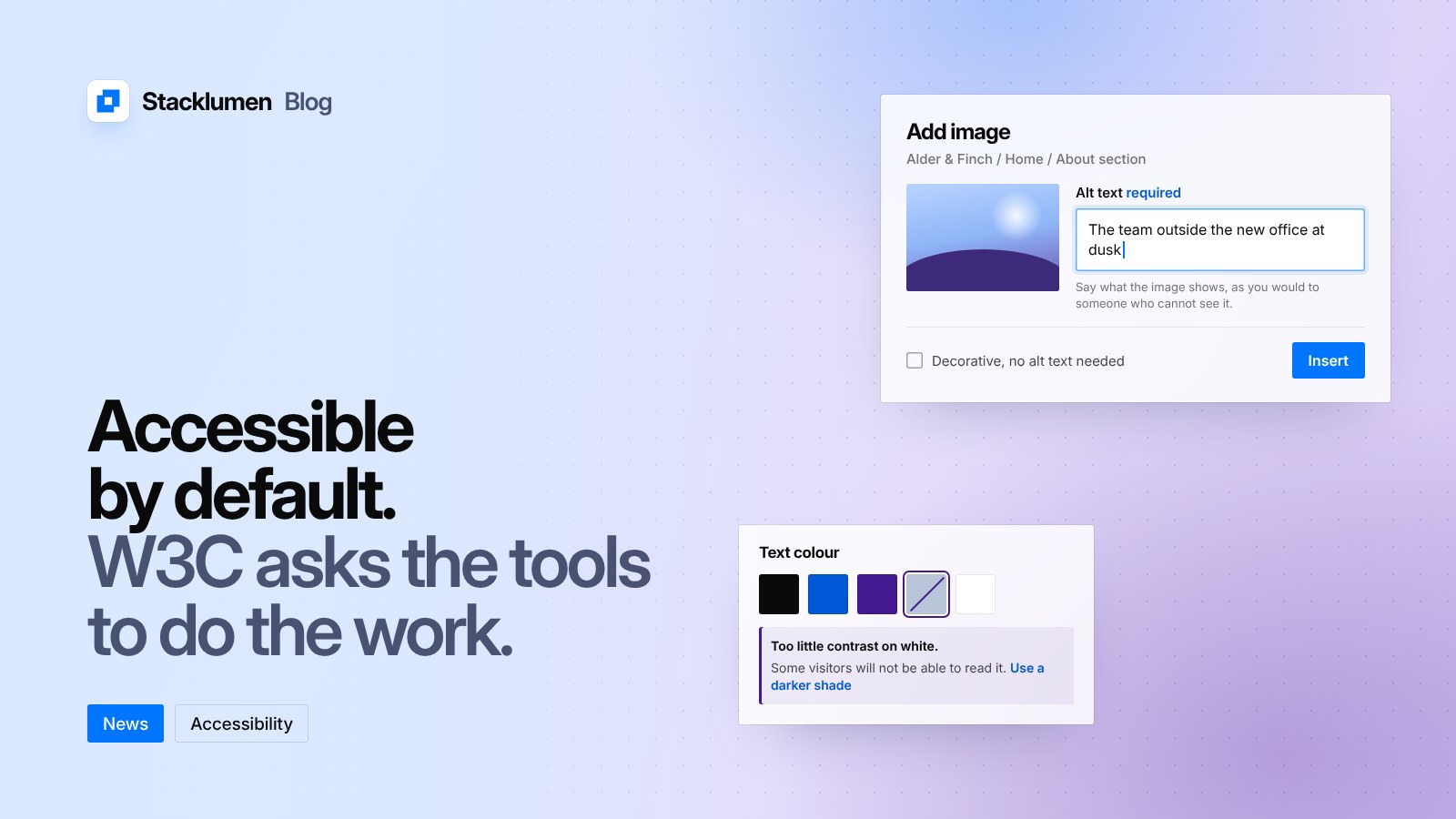
- Alt text. Ask for alt text when an image is added, or an explicit confirmation that none is needed. Give short guidance on what to write, with more detail on request. Suggest alt text from the image's context, which the post says AI can help with. Save the alt text with the image and offer it as a draft when the image is used again, for the author to confirm.
- Accessible options. Offer only colours and other choices that meet the Web Content Accessibility Guidelines (WCAG). When an author picks something that fails, suggest how to fix it.
- Make failures hard. When an author does introduce an accessibility failure, explain the problem and its effect on disabled people, and ask the author to acknowledge it.
- Accessible templates. Built-in templates, components and widgets should meet WCAG.
- An accessible tool. The tool itself must be usable by people with disabilities, so they can create content too.
AI: an opportunity and a risk
The post says authoring tools increasingly include AI, including website builders that generate a first version of a site from a description. The W3C calls this "both a massive opportunity and a serious risk for accessibility." Its example: blind people already use AI to describe images that have no alt text, without knowing whether the description matches what the author meant. Suggesting alt text when the image is uploaded, and having the author confirm it, uses AI once and gives an accurate result.
ATAG is being updated
The standard behind all this is the Authoring Tool Accessibility Guidelines (ATAG). ATAG 2.0 has two parts: Part A covers making the authoring tool itself accessible, and Part B covers the tool helping authors produce accessible content. The W3C says ATAG 2 was published about ten years ago and needs updating to match newer WCAG work, current technology and appropriate use of AI.
According to the W3C's ATAG overview page, the ATAG Community Group and Accessibility Standards Canada explored an update during 2026, and in November 2026 W3C staff proposed a new charter for an ATAG Working Group to update ATAG as a joint W3C and Accessibility Standards Canada standard. A proposed charter is not yet an approved group, so there is no new version of ATAG to follow today.
The W3C invites tool makers to read the ATAG materials, list their tool in its Authoring Tools List with accessibility information, and join the ATAG Community Group. Anyone can join the community group, review drafts when they are published, or ask the makers of the tools they use about ATAG support.
What it means for your site
- Nothing changes in law today. This is a W3C blog post and a proposed charter, not a new requirement. WCAG remains the standard your site's content is measured against, and the W3C encourages using its latest version, WCAG 2.2.
- Use the checks your tools give you. If your editor asks for alt text or flags low colour contrast, treat that as part of publishing, not a step to skip.
- Write alt text when you add the image. You know what the image is for at that moment. Mark purely decorative images as decorative rather than leaving the field empty by accident.
- Review AI-written alt text. If a tool suggests a description, read it and correct it so it says what you meant.
- Check your templates. If your site is built from templates or shared components, check them against WCAG once, so every page built from them starts in a good state.
- Ask your vendors. If you choose tools for clients, ask how they support ATAG and WCAG, and check the W3C's Authoring Tools List.
Sources
- W3C WAI news: The multiplier effect: How authoring tools can transform web accessibility (10 November 2026)
- W3C blog: The multiplier effect: How authoring tools can transform web accessibility
- W3C WAI: Authoring Tool Accessibility Guidelines (ATAG) overview
- W3C WAI: Web Content Accessibility Guidelines (WCAG) overview
- W3C WAI: Authoring Tools List
- W3C: ATAG Community Group